Skip to content
GearOpen.com

GearOpen.com

GearOpen.com is the hub for the latest developments in technology, AI, software, computers, transportation, consumer electronics, and scientific innovation.

  • Phones
  • Tablets
  • Laptops
  • Computers & IT
  • AI & Bots
  • Apps
  • Gaming
  • Audio & Video
  • Wearables
  • Smart Home
  • Cameras
  • Drones
  • Cars
  • Motorcycles
  • Yachts & Boats
  • Planes
  • Science
  • Tools
  • Toggle search form
How to Get Windows 10 Anniversary Update & Use Its New Features

How to Get Windows 10 Anniversary Update & Use Its New Features

Posted on August 7, 2016December 10, 2018 By Jarvis

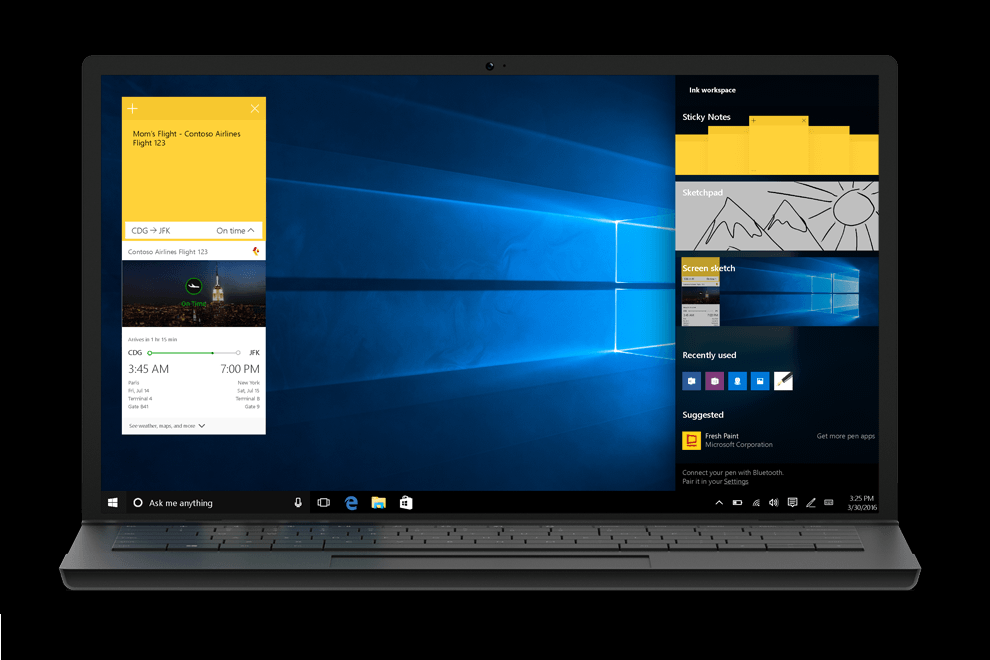
As of August 2nd, Microsoft has begun rolling out its Windows 10 Anniversary Update, a major upgrade for its flagship operating system, which includes a host of new features. Once you’ve run the update,  you’ll have access to Cortana on  your lock screen, be able to sync your SMS messages between your PC and  your phone, run extensions in Edge browser and draw with Windows Ink, amongst other capabilities. Below we explain how to get Windows 10 Anniversary update and how to make the most of its new features.

image

How to Get Anniversary Update

If you’re already running Windows 10 on  your computer or tablet, you will be getting the Anniversary Update automatically at some point over the next few weeks, though there are ways to speed up the process. First, check to make sure you don’t already have the new build by typing “winver” into the search box and examining the system information window. If you have build 14393 or higher, you have Anniversary update.
…
Read full post here:
https://www.laptopmag.com/articles/windows-10-anniversary-update-new-features
Wearables Tags:browser, computer, cortana, how to, Microsoft, operating system, PC, tablet, Windows, Windows 10

Post navigation

Previous Post: The Archives : Buell 1125R vs. Ducati 848 – COMPARISON TEST
Next Post: Panasonic DMR-PWT550EB PVR/Blu-ray Player Combi Review

Related Posts

HyperX_Cloud_Alpha_S_Blue_2_heromixer_compressed-1 HyperX Cloud Alpha S Review Wearables
Logitech G435 Wireless Gaming Headset Logitech G435 Wireless Gaming Headset brings Lightspeed to PS5 Wearables
Huawei’s upscale Watch GT2 Pro puts an emphasis on health and long battery life Huawei’s upscale Watch GT2 Pro puts an emphasis on health and long battery life Wearables
Are Fitbits Waterproof? What To Know Before Diving In Wearables
Xiaomi Mi Smart Band 5 review: budget band bosses the basics Xiaomi Mi Smart Band 5 review: budget band bosses the basics Wearables
Microsoft HoloLens 2: Everything we know so far about the mixed reality headset Microsoft HoloLens 2: Everything we know so far about the mixed reality headset Wearables

Copyright © 2026 GearOpen.com.

Powered by PressBook Grid Dark theme