Skip to content
GearOpen.com

GearOpen.com

GearOpen.com is the hub for the latest developments in technology, AI, software, computers, transportation, consumer electronics, and scientific innovation.

  • Phones
  • Tablets
  • Laptops
  • Computers & IT
  • AI & Bots
  • Apps
  • Gaming
  • Audio & Video
  • Wearables
  • Smart Home
  • Cameras
  • Drones
  • Cars
  • Motorcycles
  • Yachts & Boats
  • Planes
  • Science
  • Tools
  • Toggle search form
How-To Use Your Alienware Notebook for VR

How-To Use Your Alienware Notebook for VR

Posted on March 21, 2017January 16, 2019 By Jarvis

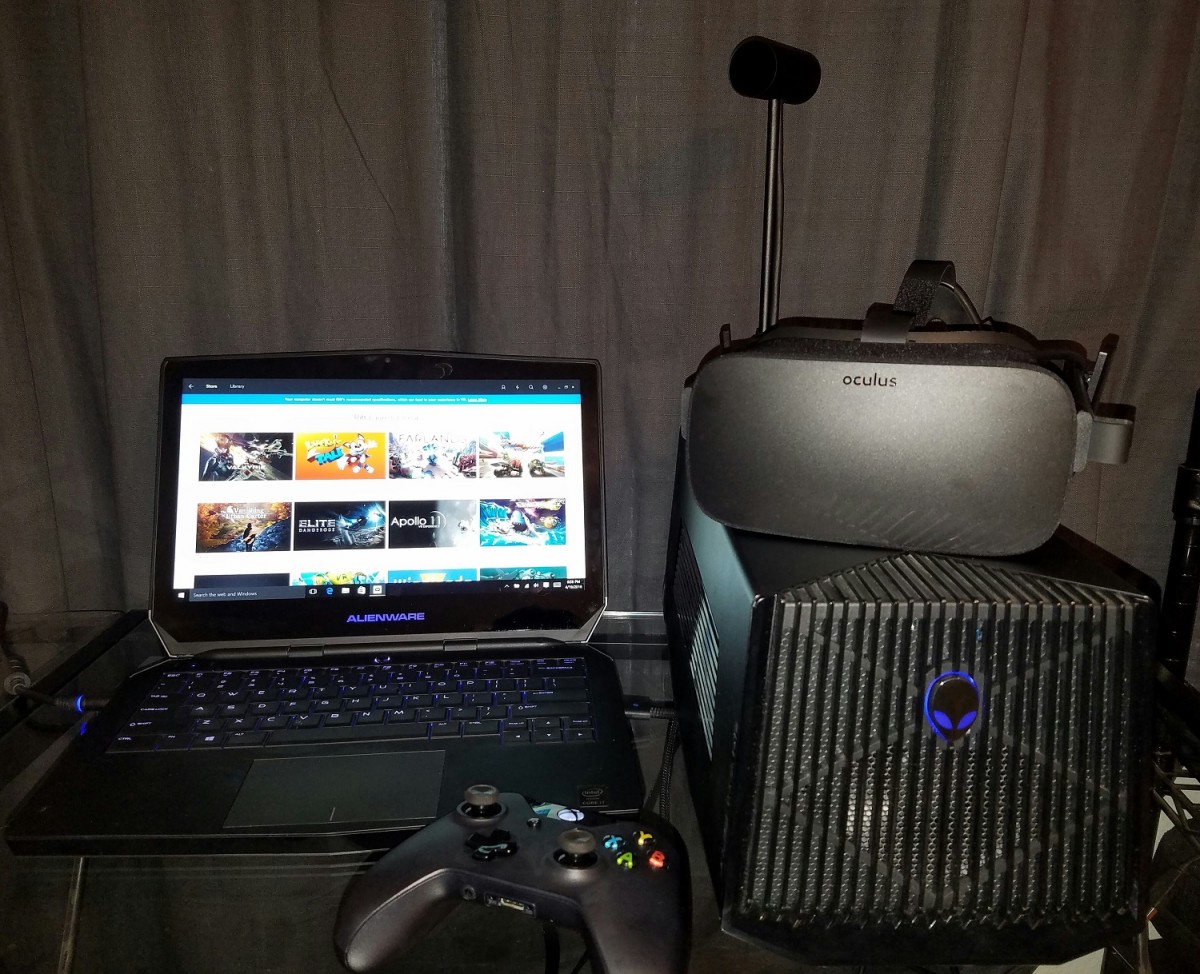
Now that the Oculus Rift and HTC Vive have arrived, you’re ready to jump into the virtual reality fray. However, like many of us, you might not have the space or the money for one of the powerful new gaming rigs you need to support either headset. But fear not, if you already own a current-gen Alienware 13, 15 or 17 laptop,  there’s a more space and cost-efficient option in the Alienware graphics amp.

Alienware Graphics Amp VR

The $199 peripheral is an external graphics amplifier that can house a powerful desktop card such as the just-released Nvidia GeForce GTX 1080 Ti GPU. That means that your last-generation, used-to-be-unsuitable-for-VR Alienware laptop can transform into a beefy powerhouse, ready for anything the virtual world can throw at it — provided, of course, you have a compatible Alienware laptop. But if you have a newer system outfitted with Nvidia VR-ready Pascal GPU, the graphics amp can add more graphics oomph for a smoother VR experience and better frame rates on traditional games.
…
Read full post here:
https://www.laptopmag.com/articles/alienware-graphics-amplifier-vr-tutorial
Computers & IT, Wearables Tags:Alienware, desktop, gaming, geforce, gpu, GTX, headset, HTC, HTC Vive, laptop, notebook, Nvidia, NVIDIA GeForce, Oculus, oculus rift, peripheral, rigs, virtual reality, vive, VR

Post navigation

Previous Post: Digma Optima 7202 Review
Next Post: Samsung Gear S3 vs LG Watch Sport : Battle of the bulky smartwatches

Related Posts

How to clean your Apple Watch, Fitbit, or Garmin device Wearables
Microsoft rushes out emergency fix for Windows 11 bug that stops PCs recovering from boot failures Computers & IT
Apple Watch I just tried the first Apple Watch camera — here’s what happened Wearables
Apple M3 vs Snapdragon X Elite: Apple or Qualcomm? Computers & IT
Apple Watch Series 7 Kuo: Apple solved the Watch Series 7 production issues, timeline is pushed back by 2 weeks Wearables
Protect Your Devices With This $7 Surge Protector 2-Pack Computers & IT

Copyright © 2026 GearOpen.com.

Powered by PressBook Grid Dark theme