Skip to content
GearOpen.com

GearOpen.com

GearOpen.com is the hub for the latest developments in technology, AI, software, computers, transportation, consumer electronics, and scientific innovation.

  • Phones
  • Tablets
  • Laptops
  • Computers & IT
  • AI & Bots
  • Apps
  • Gaming
  • Audio & Video
  • Wearables
  • Smart Home
  • Cameras
  • Drones
  • Cars
  • Motorcycles
  • Yachts & Boats
  • Planes
  • Science
  • Tools
  • Toggle search form
How to transfer music to the Fitbit Ionic : Keep running to the beat

How to transfer music to the Fitbit Ionic : Keep running to the beat

Posted on September 29, 2017May 18, 2019 By Jarvis

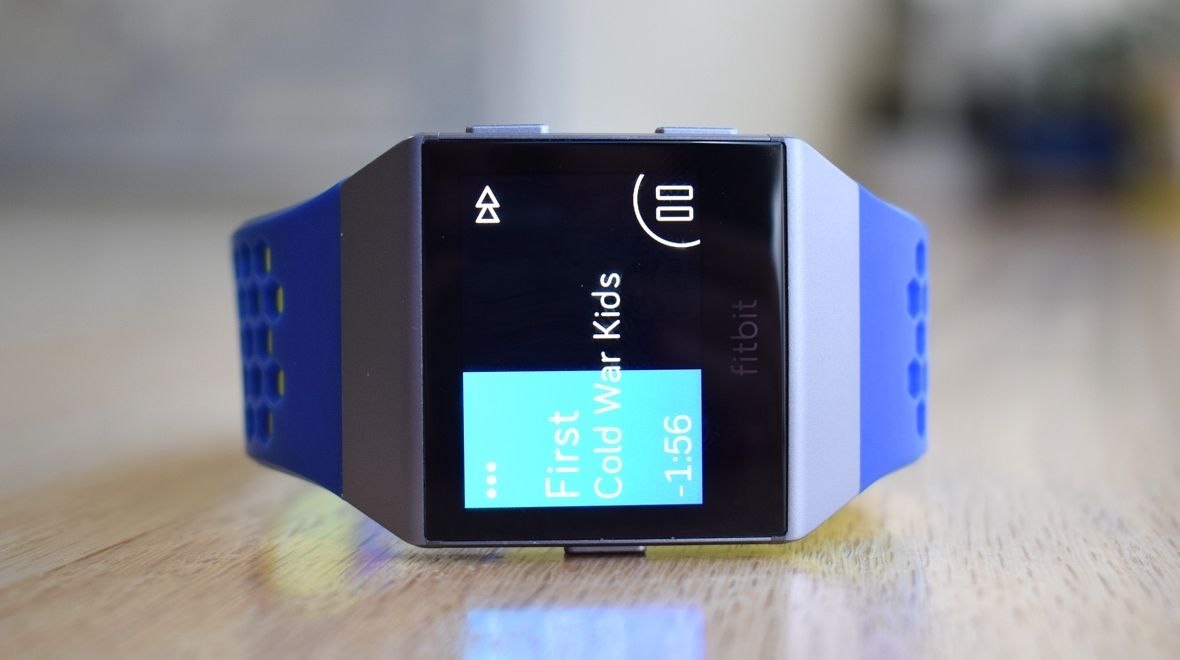
Like that one guy at the party who just can’t take a hint – probably the one whipping out the guitar for a 1am rendition of Wonderwall – the smartphone is increasingly looking like a nuisance to our wearables. But we’re slowly breaking free, and having music stored on our smartwatches and fitness trackers means one less reason to take the phone along for the ride.

There are two ways to listen to music on the Fitbit Ionic: third-party apps or loading your music directly through Fitbit’s software. If you’re in the US, Pandora Plus and Premium users will be able to sync their stations to the watch. For those of you in Europe, well, we still don’t actually know, and it might be a little longer before Fitbit secures a partner.

How to put music on Fitbit Ionic

But if you’re not a Pandora user, or live in Europe, fear not, because you can simply load on your music files to the Ionic. There’s 2.5GB of space for you to fill with your favorite tunes, and we’re going to explain how.

Note that you’ll need the music files themselves on your computer; you can’t just sync your Spotify playlists, for example, though we hope that will one day change.
…
Read full post here:
https://www.wareable.com/fitbit/how-to-transfer-music-to-fitbit-ionic

Wearables Tags:computer, Europe, Fitbit, Fitbit Ionic, fitness, how to, music, Pandora, smartphone, software, spotify, watch, wearables

Post navigation

Previous Post: Nokia 8 vs Samsung Galaxy C9 Pro Specs comparison
Next Post: Samsung UN55MU9000 smart TV review: No quantum dots, but silky smooth motion

Related Posts

Apple Watch Series 6 Move over Apple Watch: smartwatches from Huawei just got a top feature Wearables
HiFiMAN DEVA Pro HiFiMAN DEVA Pro Review Wearables
And finally: A future Apple Watch could get touchy with smart fabric And finally: A future Apple Watch could get touchy with smart fabric Wearables
And finally: Apple AR headset to launch in 2020 And finally: Apple AR headset to launch in 2020 Wearables
How to reset a Fitbit: A guide to restarting your Charge 3, Versa 2, Inspire HR or Ionic How to reset a Fitbit: A guide to restarting your Charge 3, Versa 2, Inspire HR or Ionic Wearables
Amazfit Pop launches - but there's more on the way Amazfit Pop launches – but there’s more on the way Wearables

Copyright © 2026 GearOpen.com.

Powered by PressBook Grid Dark theme