Skip to content
GearOpen.com

GearOpen.com

GearOpen.com is the hub for the latest developments in technology, AI, software, computers, transportation, consumer electronics, and scientific innovation.

  • Phones
  • Tablets
  • Laptops
  • Computers & IT
  • AI & Bots
  • Apps
  • Gaming
  • Audio & Video
  • Wearables
  • Smart Home
  • Cameras
  • Drones
  • Cars
  • Motorcycles
  • Yachts & Boats
  • Planes
  • Science
  • Tools
  • Toggle search form
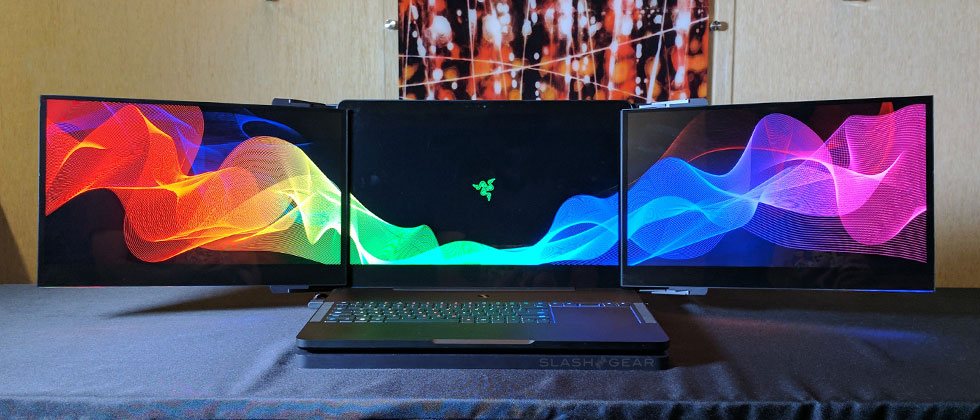
razer_project_valerie_ces2017_00

Razer Project Valerie hands-on: 3-screen gaming concept

Posted on January 5, 2017January 8, 2019 By Jarvis

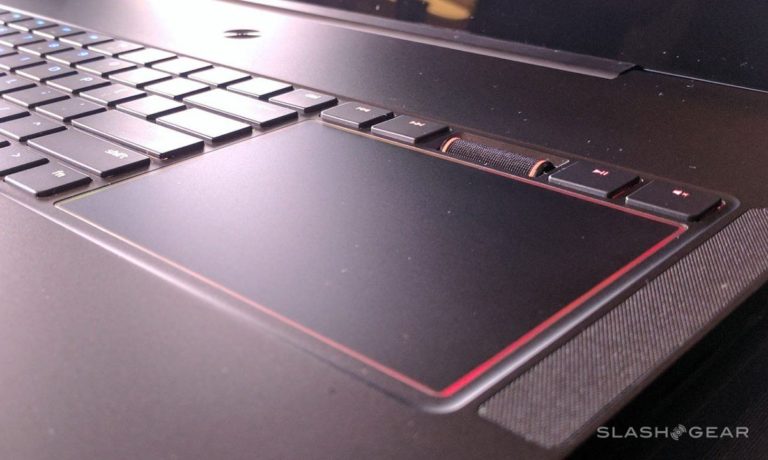
The Razer Project Valerie laptop has three displays – and all three are really, truly dedicated to gaming. Each of these displays is connected to the base computer, creating a laptop that’s thicker than the company’s standard Razer Blade, but all the more versatile as a result. While this notebook isn’t the sort we’ll be trusting around clumsy miscreants while engaged, the hardware used to make this project a reality is well worth the gander.
razer_project_valerie_ces2017_04-1202x720

This notebook can be used with a single display, but three displays at once is what it’s really all about. Once the notebook’s standard display is open, an automatic deployment mechanism can be pressed to extend the other two. Both extra displays mechanically slide out from behind the primary display, then inward toward the user. The result is a half-moon shape made to work with “180 degree NVIDIA Surround View gaming” technology.
…
Read full post here:
https://www.slashgear.com/razer-project-valerie-hands-on-3-screen-gaming-concept-05470383/

Computers & IT Tags:computer, gaming, hardware, laptop, notebook, Nvidia, Razer, Razer Blade, Razer Project Valerie, Slashgear

Post navigation

Previous Post: ASUS ZenFone AR hands-on: Daydream and Tango under one roof
Next Post: ODG AR smart glasses hands-on: Snapdragon 835 gets real

Related Posts

Fed up with constantly installing various updates for Windows 11? Microsoft is making monthly multiple reboots a thing of the past Computers & IT
Here’s How to Find All Your Wi-Fi Passwords on Your Mac and Windows Computers & IT
Why you need a macro pad, even if you have a mouse with 19 buttons — from $10 mechanical numpads to multi-screen window management Computers & IT
ASUS VivoBook K570 review – one of the most affordable gaming notebooks ASUS VivoBook K570 review – one of the most affordable gaming notebooks Computers & IT
SurfaceHome_Lg_HighlightFeature_Panel_1_V1 PCs are on the rise again after six years: here’s why Computers & IT
NordPass password manager review Computers & IT

Copyright © 2026 GearOpen.com.

Powered by PressBook Grid Dark theme