Skip to content
GearOpen.com

GearOpen.com

GearOpen.com is the hub for the latest developments in technology, AI, software, computers, transportation, consumer electronics, and scientific innovation.

  • Phones
  • Tablets
  • Laptops
  • Computers & IT
  • AI & Bots
  • Apps
  • Gaming
  • Audio & Video
  • Wearables
  • Smart Home
  • Cameras
  • Drones
  • Cars
  • Motorcycles
  • Yachts & Boats
  • Planes
  • Science
  • Tools
  • Toggle search form
ASUS ROG XG Station 2 Review: The External GPU Dock You’ve Been Waiting For?

ASUS ROG XG Station 2 Review: The External GPU Dock You’ve Been Waiting For?

Posted on August 1, 2017March 27, 2019 By Jarvis

It’s a great solution for people with deep pockets

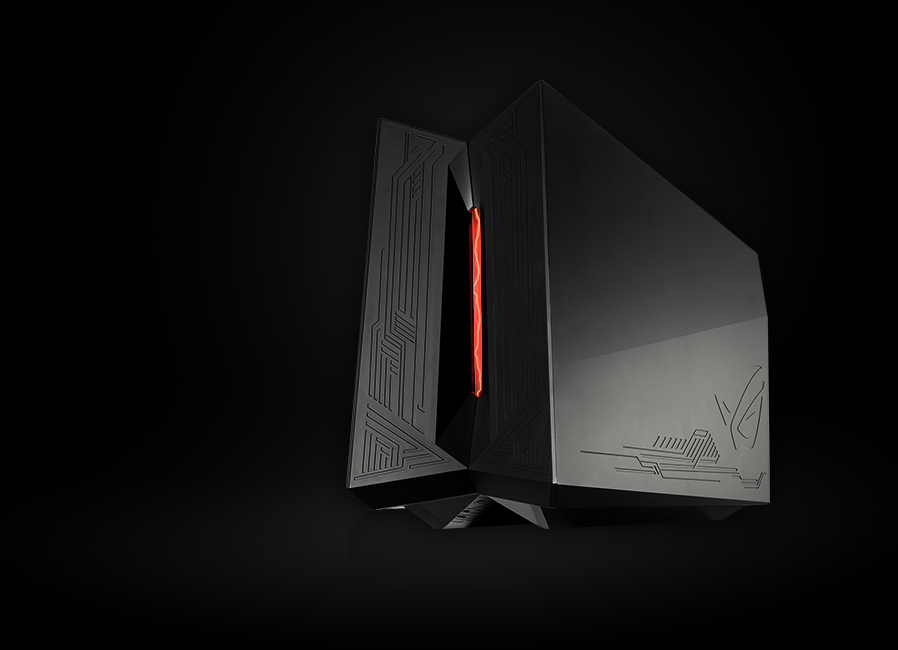
The idea of slapping a discrete graphics card on a thin and light notebook is not a new one: you can actually do that right now if you have the right tools, moxie and technical know-how, but for many the dream of putting the latest GPU on their skinny notebook has been just that – a dream. But there’s been a few solutions that have cropped up that allow people with enough cash and technical know-how to plug in a graphics card to get the best of both worlds – a skinny notebook during the day, and a kick-ass gaming machine at night. ASUS’ ROG XG Station 2 is one such option, but because of its technical quirks and high price tag, it’s not a solution that’ll work for everybody.

It’s like a mini-desktop for gamers

For what the XG Station 2 does, it’s pretty huge. Easily the size and width of a compact desktop, the ROG XG Station 2 is basically a receptacle for a GPU, and can handle teeny-weeny ones like the GTX 1050 all the way up to the GTX 1080 Ti. It has its own 600W 80 Plus Gold power supply to keep both the notebook that you’re using and the GPU you’re connecting fed and supplied with power.
…
Read full post here:
https://www.unbox.ph/gadget/asus-xg-station-2-review-the-external-gpu-dock-youve-been-waiting-for/


Computers & IT Tags:Asus, desktop, dock, gaming, gpu, graphics card, GTX, how to, kick, notebook, review

Post navigation

Previous Post: Seagate DJI Fly Drive Quick Review
Next Post: Anker SoundCore Boost Review: Big Bass for a Bargain

Related Posts

phi328e9qjab_3 Philips 328E9QJAB Review – Affordable 32-inch Curved 1080p Monitor with FreeSync Computers & IT
Microsoft is finally introducing the feature that’ll make me upgrade to Windows 11 Computers & IT
MSI GT75VR Titan Pro Review MSI GT75VR Titan Pro Review Computers & IT
LG Gram 16 (2021) LG Gram 16 (2021) in review: 1,200 grams, excellent battery life, 16:10 display Computers & IT
Leaked benchmarks reveal the Nvidia RTX 4080 Super GPU isn’t much better than its normal version Computers & IT
16-inch MacBook Pro still extremely difficult to repair reveals iFixit 16-inch MacBook Pro still extremely difficult to repair reveals iFixit Computers & IT

Copyright © 2026 GearOpen.com.

Powered by PressBook Grid Dark theme