Skip to content
GearOpen.com

GearOpen.com

GearOpen.com is the hub for the latest developments in technology, AI, software, computers, transportation, consumer electronics, and scientific innovation.

  • Phones
  • Tablets
  • Laptops
  • Computers & IT
  • AI & Bots
  • Apps
  • Gaming
  • Audio & Video
  • Wearables
  • Smart Home
  • Cameras
  • Drones
  • Cars
  • Motorcycles
  • Yachts & Boats
  • Planes
  • Science
  • Tools
  • Toggle search form
How To Configure Parental Controls On Your Fire Tablet

How To Configure Parental Controls On Your Fire Tablet

Posted on August 26, 2017June 3, 2019 By Jarvis

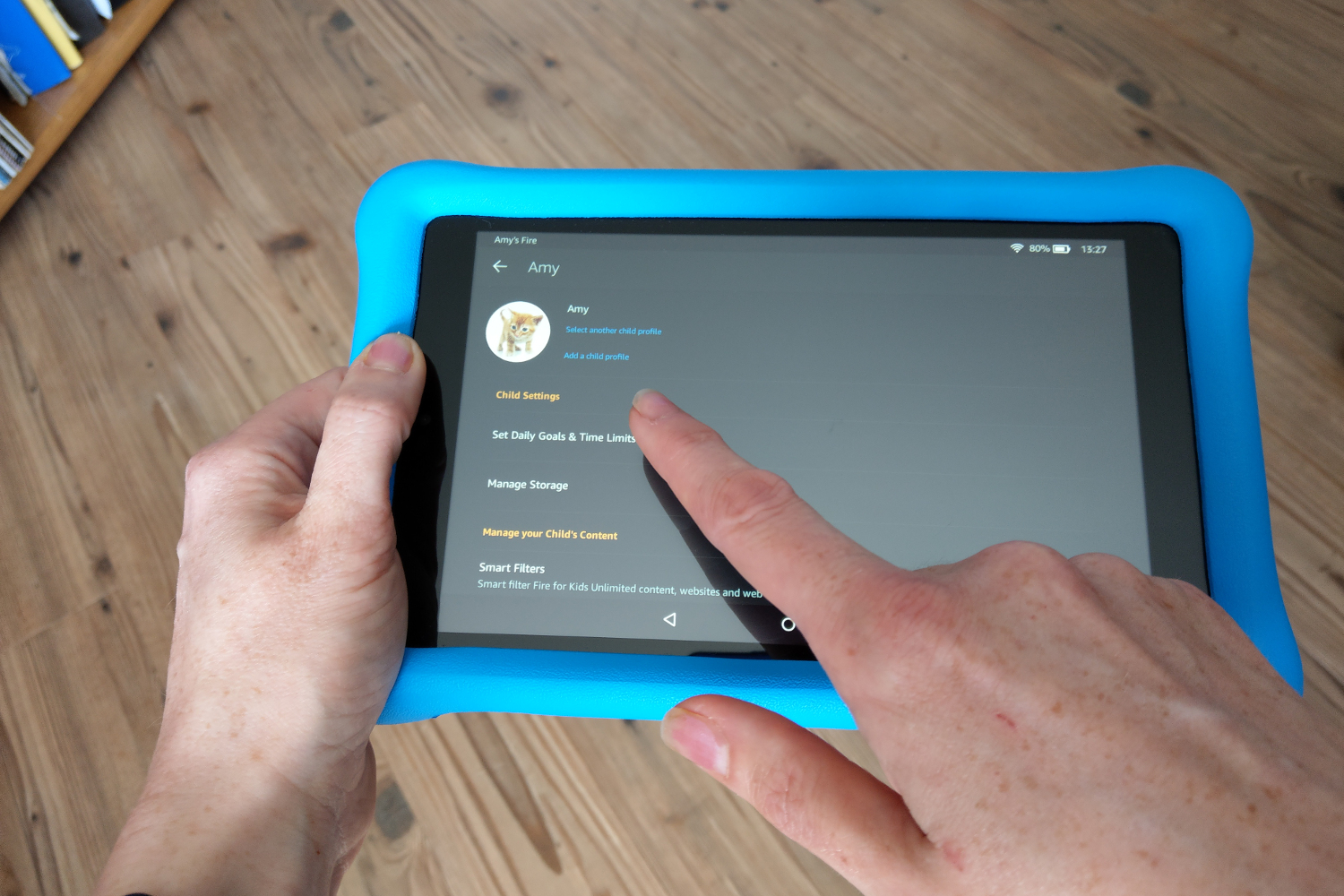
Kindle Fire tablets have the built-in ability to password-protect or block different features of the tablet without having to set up a separate profile, enabling you to hand your Fire over to a child or someone you don’t necessarily want to give full access to. You can password-protect things like Prime Video, email, and Amazon purchasing, and turn the controls off whenever you want.

When Parental Controls are on you’ll see a little lock icon at the top of the Fire’s screen. If you swipe down from the top, you’ll see a message that says “Parental Controls – On.” You can tap that message at any time to enter the Parental Controls password and turn the controls off. Note that while some controls carry over to Child Profiles, not all of them do. Parental Controls are much better at locking down adult content on Adult Profiles than blocking allowed content on Child Profiles.
…
Read full post here:
https://www.laptopmag.com/articles/parental-controls-fire-tablet
Tablets Tags:Amazon, how to, kindle, kindle fire, tablet, video

Post navigation

Previous Post: 2018 BMW K1600B First Ride Review
Next Post: Hands on: Essential Phone review

Related Posts

Which Amazon Kindle to buy? Choosing the one that suits you best Which Amazon Kindle to buy? Choosing the one that suits you best Tablets
This could be the design of the new 12.9-inch iPad Air for 2024 Tablets
Apple iPad Pro’s tandem OLED has an HDR bug, but Apple’s already on the fix Tablets
iPad Air 5 iPad Air 5 could make the iPad Pro 11 (2021) almost irrelevant Tablets
The best iPad Prime Day Deals: big savings on iPad Air, iPad Pro, and iPad mini models Tablets
The iPad Pro overhaul might bring all the wrong upgrades Tablets

Copyright © 2026 GearOpen.com.

Powered by PressBook Grid Dark theme