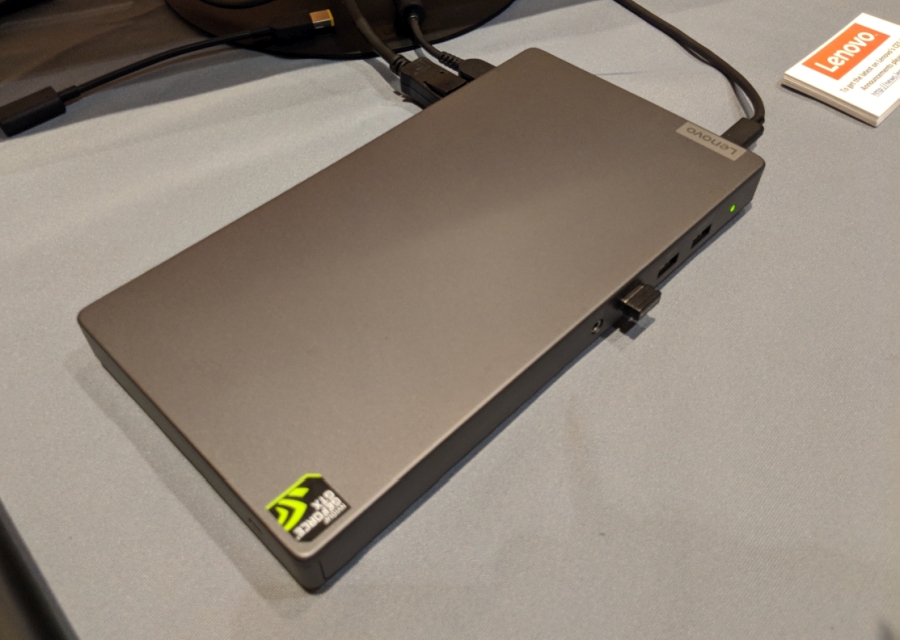
Laptops are getting thinner and thinner, not to mention sometimes converting into tablets. But the price of portability is performance, at the very least graphics performance. There are, of course, a new breed of computing accessories that deliver added graphics processing power via Thunderbolt 3 but those are heavy in both price and form. Enter the Lenovo Thunderbolt 3 Graphics Dock somewhat quietly revealed at CES 2013. No larger than a laptop, this graphics card enclosure claims it’s powerful enough to even run Windows Mixed Reality at 90 Hz rates. But, of course, there’s always a catch.
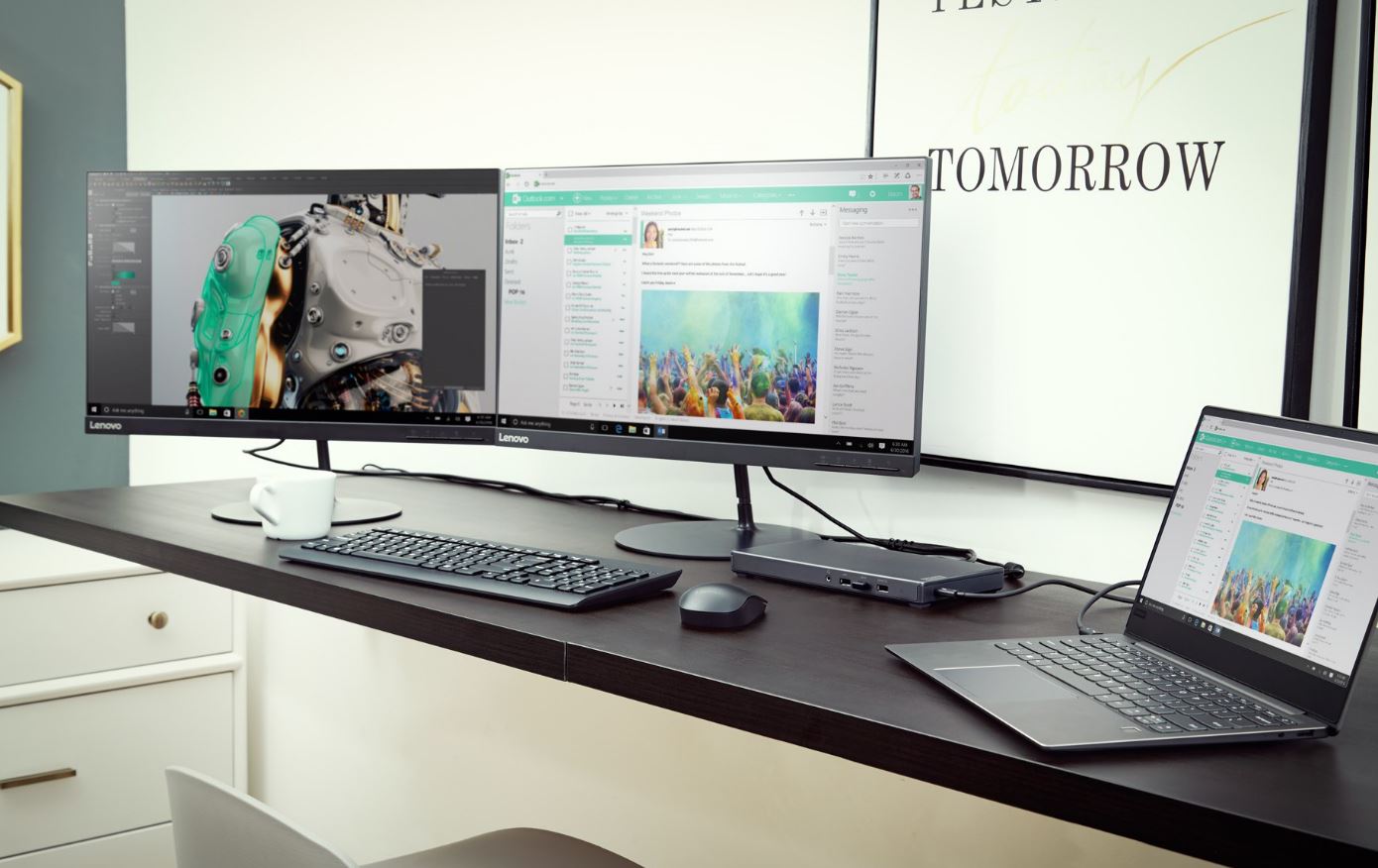
At 130 mm x 248 mm x 22.6 mm, weighing 686 g, and costing only $399, the Lenovo Thunderbolt 3 Graphics Dock almost seems like a dream come true. It is a middle ground for those who need and want the portability of ultra slim notebooks and 2-in-1 tablets but also want the ability to play games or use graphics-intensive applications from time to time. All without a ridiculously large box with an exorbitantly expensive price tag.

One of the best things about the Lenovo Graphics Dock is that its price tag already includes the desktop-class graphics card inside. Unfortunately, that is also the worst thing about it as well. It comes with an NVIDIA GeForce GTX 1050, not even a 1050 Ti, the lowest tier 10-series graphics card and it seems there is no other choice. There also seems to be no way to upgrade it in the future, at least not without buying another dock, if Lenovo does decide to put out a higher model.

Lenovo does seem to be confident that the GTX 1050 is enough to run Windows Mixed Reality at a rate of 90 Hz, which still has to be tested in the wild. The GTX 1050 might not also be good enough to run high-end games at their best settings, but it definitely beats the hell out of having nothing but an Intel HD integrated GPU.

As for the rest of the specs, the Lenovo Thunderbolt 3 Graphics Dock sports one HDMI 2.0 out port, two DisplayPort 1.2 ports, one USB 2.0, one USB 3.0, one USB 3.0 with a power output of 2.4 A, a 3.5 mm combo jack, and a Gigabit Ethernet port.

The Dock can simultaneously power a connected laptop, preferably one of Lenovo’s, as well as other USB devices. The dock goes on sale sometime in 2018, though no exact date has been given yet.

(slashgear.com, https://goo.gl/7ivrMB)