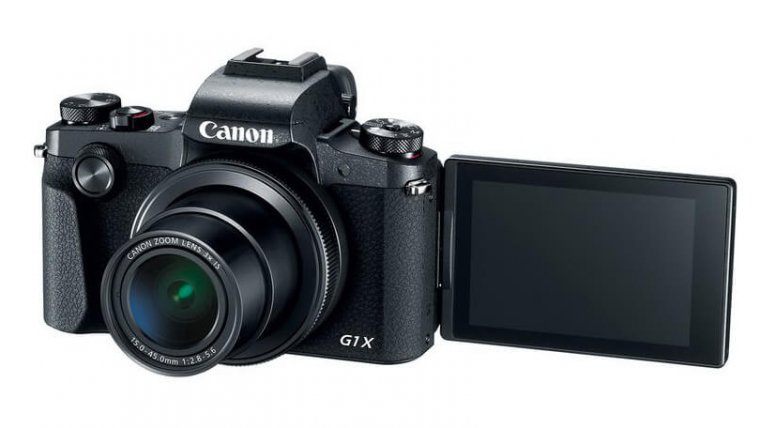
Canon PowerShot G1 X Mark III sports a 24MP APS-C CMOS sensor and powerful DIGIC 7 Image Processor delivers notable image quality.
The Dual Pixel CMOS AF system offers smooth and fast focusing when shooting videos and shooting or still in Live View mode. The 3x (24-72mm) f/2.8-5.6 zoom lens which provides the flexibility to frame everyday shots to perfection. The Optical Image Stabilizer helps keep your shots sharp and steady.
The PowerShot G1 X Mark III is Integrated 2.36 million dot OLED EVF. The 3.0-inch Vari-angle Touch LCD screen for easier, more intuitive control.
The G1 X Mark III is built-in Wi-Fi with NFC & Bluetooth for remote live view shooting and quick image sharing. The Panoramic Shot Mode offers easy panoramic shooting.
Canon PowerShot G1 X Mark III Key Features:
- 24.3- megapixel APS-C CMOS sensor
- 3x (24-72mm) f/2.8-5.6 Wide-angle Optical Zoom Lens
- DIGIC 7 Image Processor
- Dual Pixel CMOS AF
- Optical Image Stabilizer
- 2.36M OLED viewfinder
- 3″ 1,040k-dot Vari-angle LCD touch screen
- Touch & Drag AF
- 1080/60p Full HD Movie Shooting
- ISO 100-25600
- Up to 9fps continuous shooting
- Built-in 3EV ND filter
- Built-In Wi-Fi, NFC and Bluetooth
- Built-in pop-up flash
- Panoramic Shot Mode
- Dust-Resistant, Water-Resistant body
Canon PowerShot G1 X Mark III PDF User Manual / Owner’s Manual / User Guide offers information and instructions how to operate the PowerShot G1 X Mark III, include Quick Start Guide, Basic Operations, Advanced Guide, Menu Functions, Custom Settings, Troubleshooting & Specifications of Canon PowerShot G1 X Mark III.
Download User’s Manual: Canon PowerShot G1 X Mark III