Skip to content
GearOpen.com

GearOpen.com

GearOpen.com is the hub for the latest developments in technology, AI, software, computers, transportation, consumer electronics, and scientific innovation.

  • Phones
  • Tablets
  • Laptops
  • Computers & IT
  • AI & Bots
  • Apps
  • Gaming
  • Audio & Video
  • Wearables
  • Smart Home
  • Cameras
  • Drones
  • Cars
  • Motorcycles
  • Yachts & Boats
  • Planes
  • Science
  • Tools
  • Toggle search form

How To Connect More HDMI Devices To Your TV

Posted on January 15, 2025 By bot

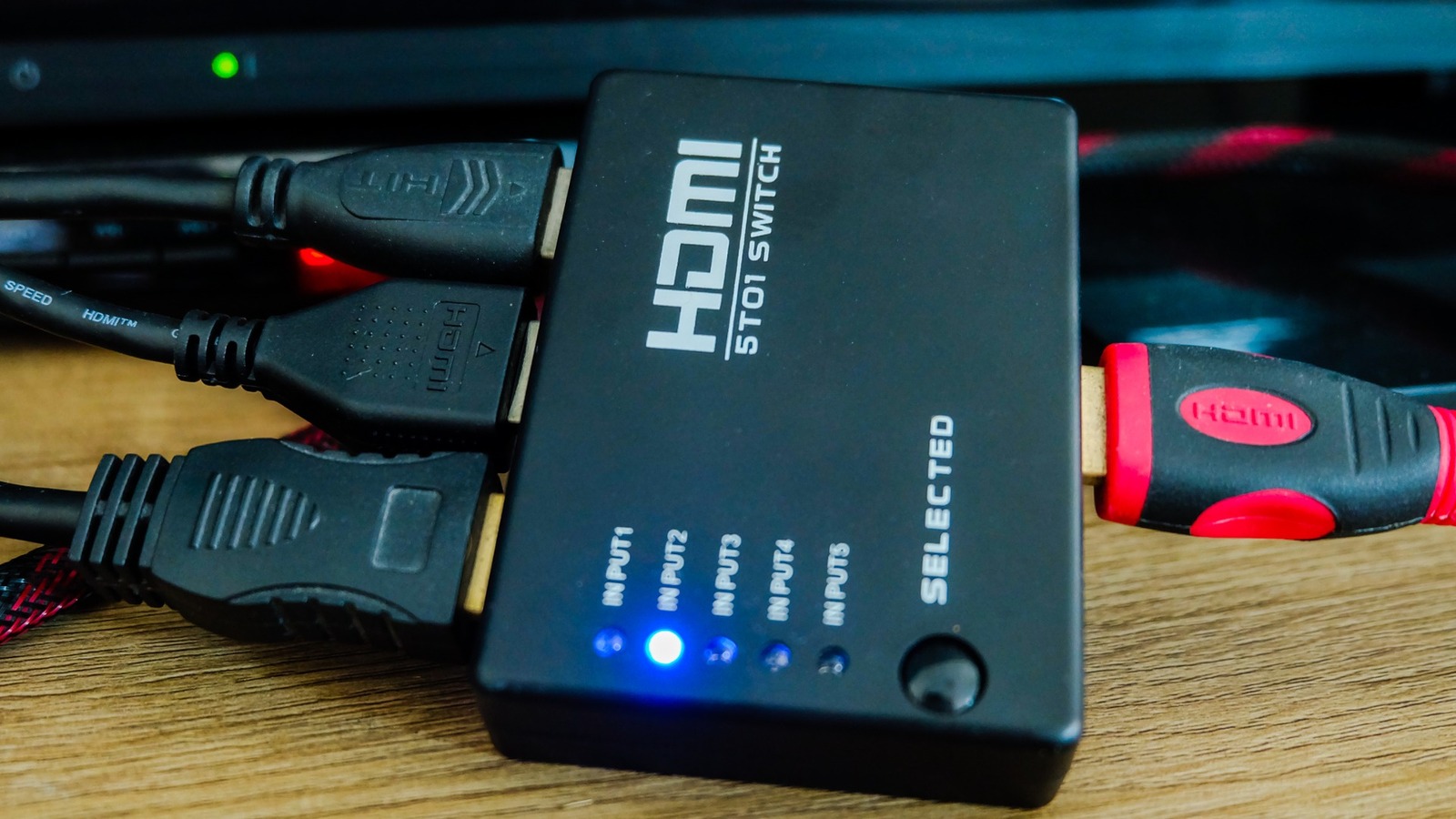
Video game consoles, streaming sticks, and DVD players all have one very important thing in common: they require an HDMI connection to your television. Most modern TVs have anywhere from two to four HDMI ports, which is likely more than enough for the average household. However, if you’re a gamer or have a rather hefty entertainment setup, you’ll exceed those ports and need an alternative option. Rather than buy a new TV, though, you can keep the same unit and use an HDMI switch.
****
An HDMI switch is an attachment for your television that allows you to plug multiple HDMI-compatible devices into one port. Where your HDMI 1 input may have just been for your Xbox Series X, it can now be for your Switch, PS5, older Xbox model, and Roku stick. Instead of changing the input on your TV, with a switch, you’ll change it on the box that all HDMI output cables are routed through.
There are several different switches available, some capable of transmitting 4K and others equipped to handle four or more inputs. When deciding on an HDMI switch, the first question to answer is how many HDMI-compatible devices you own. To avoid playing with any input channels on the TV, it’s best to get a switch that can house all of your devices. So if you have a TV with three inputs, and you have four devices, just get a four-port switch to make life easier.
****
…
Read more

Audio & Video

Post navigation

Previous Post: Here’s How To Fix The Volume Control Not Working On Your Apple TV Remote
Next Post: How Do Wireless TVs Work, And Are They Worth The Cost?

Related Posts

What if I tried to use my guitar amp as the speaker for my hi-fi system? I tried really hard to make it sound anywhere near listenable and even broke a guitar pedal — here’s what I learned Audio & Video
H96Max M9S Android 14 Smart TV Box Review: A New Era of Home Entertainment Audio & Video
How to turn Motion Smoothing off on Samsung TVs Audio & Video
How to watch USA vs Belgium: Free Streams, TV Channels & Kick-Off time as FIFA World Cup 2026 co-hosts eye quarter-final place Audio & Video
Phoebe Bridgers has rekindled the ‘phone-free gigs’ debate again — I fully support a ban and this poll shows most tech fans do too Audio & Video
Gear_OculusRiftS_1 Hands on: Oculus Rift S review Audio & Video

Copyright © 2026 GearOpen.com.

Powered by PressBook Grid Dark theme