Skip to content
GearOpen.com

GearOpen.com

GearOpen.com is the hub for the latest developments in technology, AI, software, computers, transportation, consumer electronics, and scientific innovation.

  • Phones
  • Tablets
  • Laptops
  • Computers & IT
  • AI & Bots
  • Apps
  • Gaming
  • Audio & Video
  • Wearables
  • Smart Home
  • Cameras
  • Drones
  • Cars
  • Motorcycles
  • Yachts & Boats
  • Planes
  • Science
  • Tools
  • Toggle search form
How to Upgrade the RAM (Memory) on a Laptop

How to Upgrade the RAM (Memory) on a Laptop

Posted on March 27, 2017January 17, 2019 By Jarvis

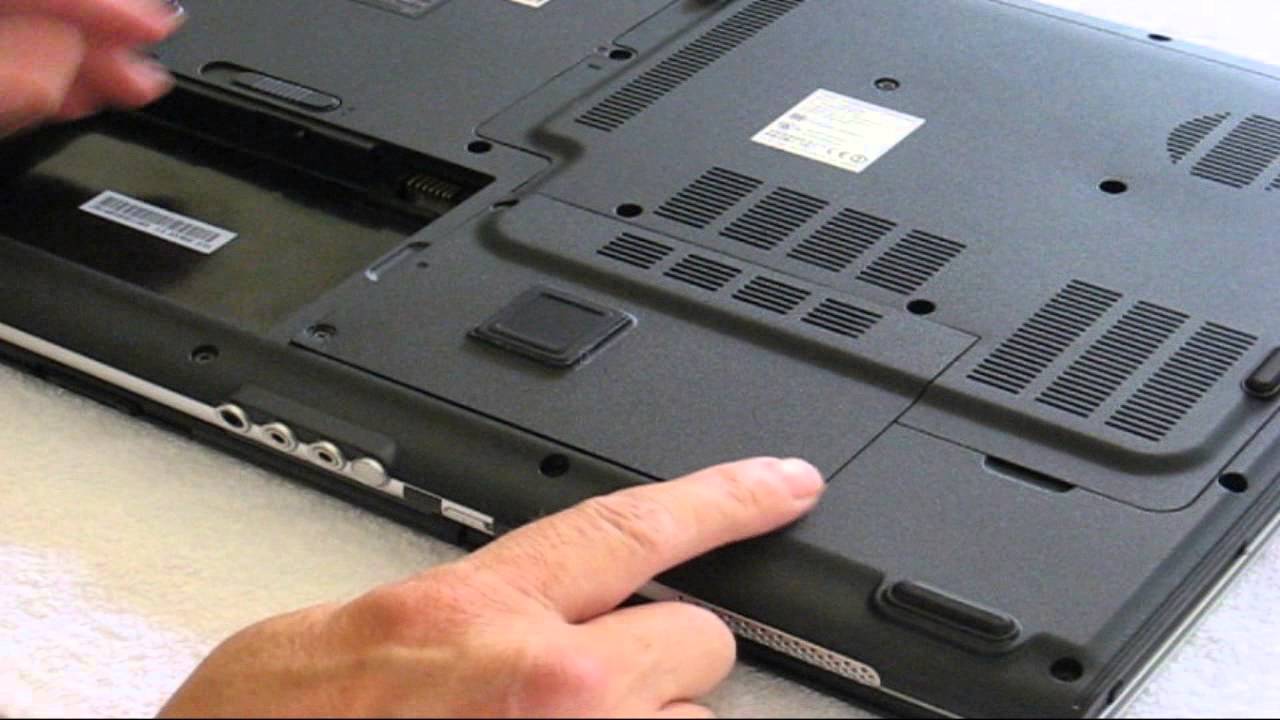
 Whether your older laptop is feeling sluggish or your newer system starts chocking up when you have too many tabs open, adding more RAM could solve the problem. If your computer doesn’t have enough physical memory, it starts swapping data to your hard drive or SSD, which is infinitely slower than even the slowest RAM chip. While not all modern laptops give you access to the RAM, many do provide a way to upgrade your memory.

install memory

If you can upgrade your laptop’s memory, it won’t cost you much money or time. Moving from 4 to 8GB (the most common upgrade) usually costs between $25 and $55, depending on whether you need to buy the whole amount or just add 4GB. And the process of swapping out RAM chips should take between 5 and 10 minutes, depending on how many screws you have to remove. Here’s how to upgrade your laptop’s memory.
…
Read full post here:
https://www.laptopmag.com/articles/ram-upgrade-tutorial
Computers & IT, Wearables Tags:computer, how to, laptop, memory, ram, SSD

Post navigation

Previous Post: New Balance RunIQ Smartwatch Review : Not a Good Running Partner
Next Post: Vifa Oslo portable Bluetooth speaker review : A Danish delight for the deep-pocketed

Related Posts

Should You Buy a Laptop on Prime Day? Computers & IT
4 PC Parts You Can Buy Cheap (And 1 You Should Splurge On) Computers & IT
Lenovo Yoga Slim 7i Aura Edition Computers & IT
Lenovo ThinkPad X13 Yoga Top 5 reasons to BUY or NOT to buy the Lenovo ThinkPad L13 Yoga Gen 2 Computers & IT
Xplora 3S kids smartwatch review : Your child’s first phone Xplora 3S kids smartwatch review : Your child’s first phone Wearables
NAO robot becomes self-aware very briefly Wearables

Copyright © 2026 GearOpen.com.

Powered by PressBook Grid Dark theme