Skip to content
GearOpen.com

GearOpen.com

GearOpen.com is the hub for the latest developments in technology, AI, software, computers, transportation, consumer electronics, and scientific innovation.

  • Phones
  • Tablets
  • Laptops
  • Computers & IT
  • AI & Bots
  • Apps
  • Gaming
  • Audio & Video
  • Wearables
  • Smart Home
  • Cameras
  • Drones
  • Cars
  • Motorcycles
  • Yachts & Boats
  • Planes
  • Science
  • Tools
  • Toggle search form

How To Connect More HDMI Devices To Your TV

Posted on January 15, 2025 By bot

Video game consoles, streaming sticks, and DVD players all have one very important thing in common: they require an HDMI connection to your television. Most modern TVs have anywhere from two to four HDMI ports, which is likely more than enough for the average household. However, if you’re a gamer or have a rather hefty entertainment setup, you’ll exceed those ports and need an alternative option. Rather than buy a new TV, though, you can keep the same unit and use an HDMI switch.
****
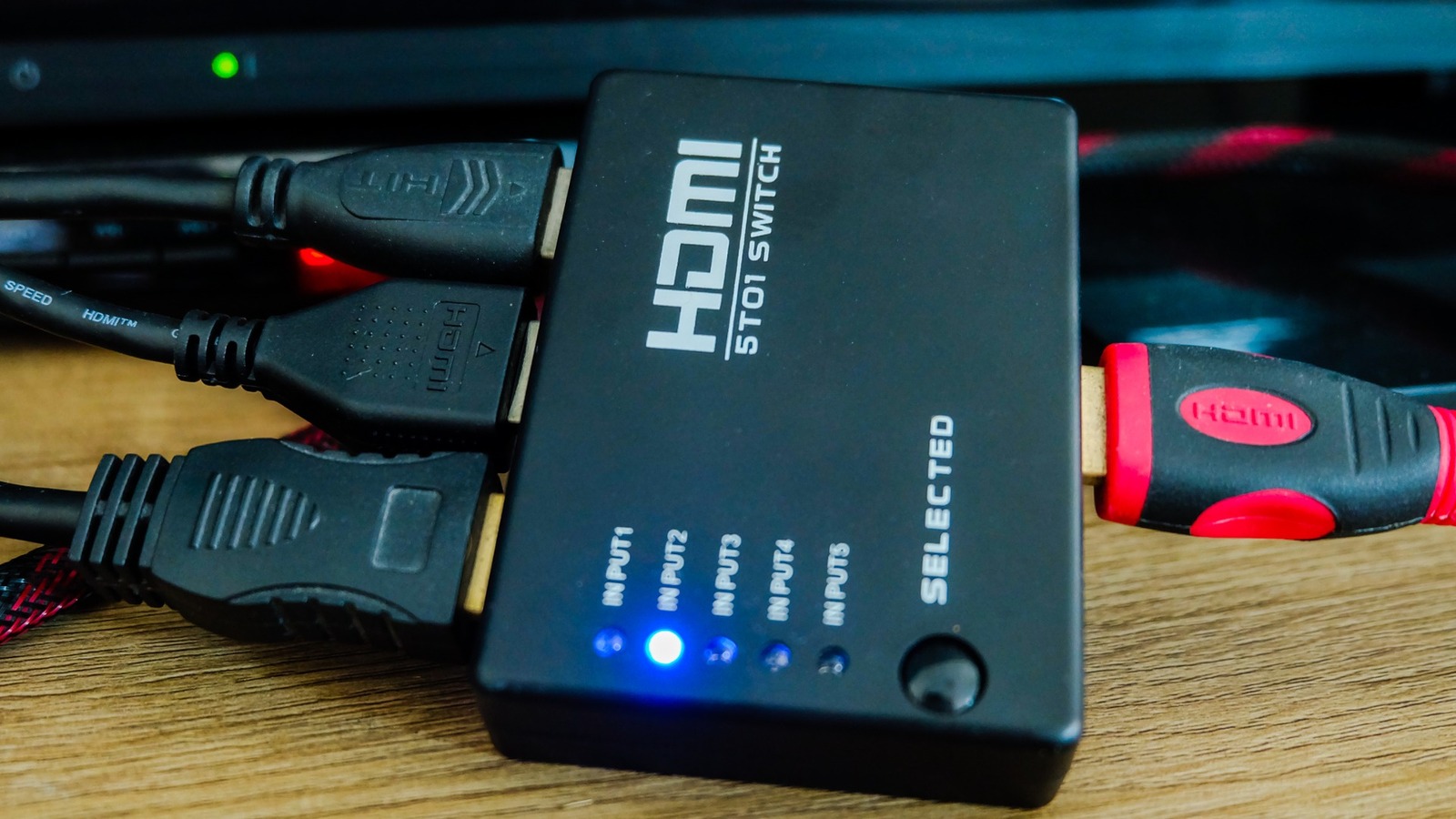
An HDMI switch is an attachment for your television that allows you to plug multiple HDMI-compatible devices into one port. Where your HDMI 1 input may have just been for your Xbox Series X, it can now be for your Switch, PS5, older Xbox model, and Roku stick. Instead of changing the input on your TV, with a switch, you’ll change it on the box that all HDMI output cables are routed through.
There are several different switches available, some capable of transmitting 4K and others equipped to handle four or more inputs. When deciding on an HDMI switch, the first question to answer is how many HDMI-compatible devices you own. To avoid playing with any input channels on the TV, it’s best to get a switch that can house all of your devices. So if you have a TV with three inputs, and you have four devices, just get a four-port switch to make life easier.
****

…
Read more

Audio & Video

Post navigation

Previous Post: Here’s How To Fix The Volume Control Not Working On Your Apple TV Remote
Next Post: How Do Wireless TVs Work, And Are They Worth The Cost?

Related Posts

Study shows Apple’s AirPods Pro can actually double as cheap hearing aids Audio & Video
Amazon just quietly slashed the price of the AirPods Pro 3 — these ‘near-perfect’ buds are $60 off today Audio & Video
Monitor Audio Deliver Silver Series 7G Monitor Audio to Deliver Silver Series 7G this Fall Audio & Video
Montblanc MTB 03 review: divine looking wireless earbuds, marred only by OK ANC Audio & Video
Rikomagic MK39 Review: Beastly Specs with Missed Potential Rikomagic MK39 Review: Beastly Specs with Missed Potential Audio & Video
Netgear Nighthawk RAXE500 review Netgear Nighthawk RAXE500 review Audio & Video

Copyright © 2026 GearOpen.com.

Powered by PressBook Grid Dark theme