
Skip to content
GearOpen.com

GearOpen.com

GearOpen.com is the hub for the latest developments in technology, AI, software, computers, transportation, consumer electronics, and scientific innovation.

  • Phones
  • Tablets
  • Laptops
  • Computers & IT
  • AI & Bots
  • Apps
  • Gaming
  • Audio & Video
  • Wearables
  • Smart Home
  • Cameras
  • Drones
  • Cars
  • Motorcycles
  • Yachts & Boats
  • Planes
  • Science
  • Tools
  • Toggle search form
How to rename a Dropbox file or folder using the iOS app

How to rename a Dropbox file or folder using the iOS app

Posted on September 4, 2015September 10, 2019 By Jarvis

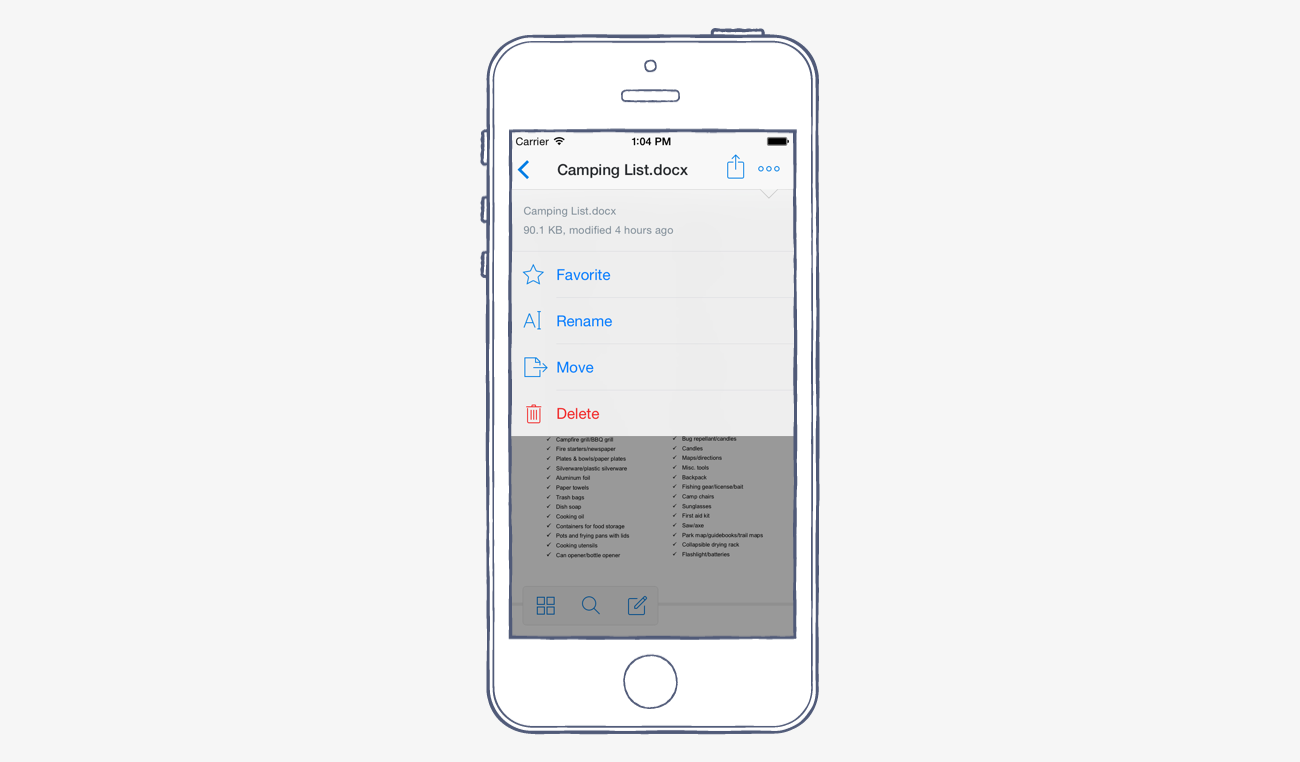
Ever encountered a time when you needed to rename a file or folder stored in Dropbox, but only had your iOS device nearby? As you likely found out, renaming just wasn’t something the app would allow you to do.

On Monday that changed however, whenDropbox released an update for its iOS app which enabled a renaming feature. The update comes shortly after Dropbox integrated Microsoft Office into its mobile apps.
…
Read full post here:
https://www.cnet.com/how-to/how-to-rename-a-dropbox-file-or-folder-using-the-ios-app/

Phones Tags:app, how to, iOS, Microsoft, microsoft office, mobile, Mobile Apps

Post navigation

Previous Post: How to clear a default app setting on Android
Next Post: How to disable phone calls on your iPad

Related Posts

Samsung’s Googlebook gets spotted online: early specs rumored Phones
Don’t Miss Your Chance to Save $49 on the AirPods Pro 2 Ahead of Christmas Phones
Deals: HomeView, M5 iPad Pro, Magic Keyboard, AirTag 2, more 9to5Mac Phones
LG Project B rollable phone could have a retractable display LG Project B rollable phone could have a retractable display Phones
Google’s new Create My Widget tool is ‘the first step in generative UI’ — and as an iPhone user, I’m not sure how iOS 27 can compete with Android 17 Phones
Here’s how to stay safe buying refurbished smartphones, according to the experts Phones

Copyright © 2026 GearOpen.com.

Powered by PressBook Grid Dark theme