Skip to content
GearOpen.com

GearOpen.com

GearOpen.com is the hub for the latest developments in technology, AI, software, computers, transportation, consumer electronics, and scientific innovation.

  • Phones
  • Tablets
  • Laptops
  • Computers & IT
  • AI & Bots
  • Apps
  • Gaming
  • Audio & Video
  • Wearables
  • Smart Home
  • Cameras
  • Drones
  • Cars
  • Motorcycles
  • Yachts & Boats
  • Planes
  • Science
  • Tools
  • Toggle search form
Lenovo ThinkPad X1 Yoga (2017 - gen 2) Review

Lenovo ThinkPad X1 Yoga (2017 – gen 2) Review

Posted on June 24, 2017January 23, 2019 By Jarvis
  • Kết quả hình ảnh cho lenovo thinkpad x1 yoga gen 2

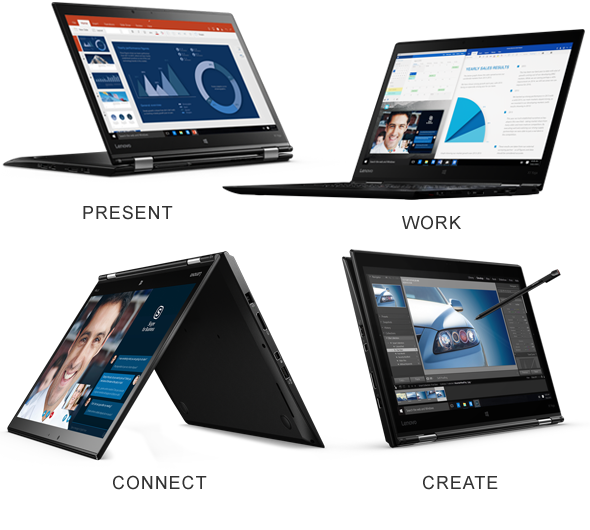
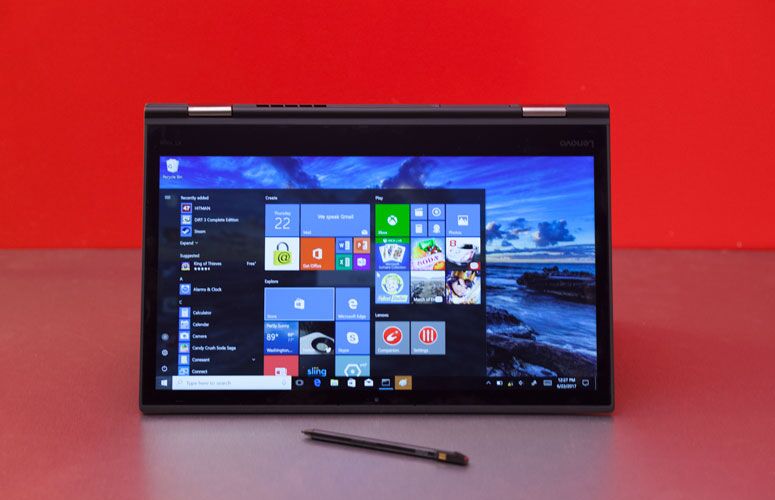
Whether you use it in laptop, tablet or tent mode, Lenovo’s second-generation ThinkPad X1 Yoga 2-in-1 is a productivity powerhouse. This lightweight, 14-inch laptop combines a premium carbon-fibre chassis with a comfortable keyboard, vibrant screen, accurate stylus and long battery life. The 2017 (gen 2) version of the X1 Yoga improves on its excellent predecessor by adding dual Thunderbolt 3 ports, a new retracting keyboard design and a pleasant soft-touch texture. Starting at $1,682 ($1,772 as tested), this 2-in-1 doesn’t come cheap, but business users who want fantastic flexibility and portability will find it worth every penny.
Design

The ThinkPad X1 Yoga (2nd gen) takes Lenovo’s classic raven-black aesthetic and turns up the style dial with a new luxurious soft-touch finish on all of its surfaces, including the palm rest where it increases typing comfort. In a change from the last model’s “Lift n’ Lock” keyboard, the new X1 Yoga’s “Wave Keyboard” has keys which sink down below the base when you rotate the screen past 90 degrees; this is done to prevent accidental typing in tablet mode.
…
Read full post here:
https://www.laptopmag.com/reviews/laptops/lenovo-thinkpad-x1-yoga

Computers & IT Tags:business, laptop, Lenovo, lenovo thinkpad x1, Lenovo ThinkPad X1 Yoga, palm, review, stylus, tablet, thinkpad, ThinkPad X1 Yoga

Post navigation

Previous Post: Yu Yureka Black smartphone review: Back in Black
Next Post: Top 10 Best Bass Headphones of 2017

Related Posts

NVIDIA Quadro RTX 6000 GPU Review NVIDIA Quadro RTX 6000 GPU Review Computers & IT
Microsoft confirms there will be no Windows 11 Computers & IT
Get drawing with 40% off the Wacom One pen display Computers & IT
Nvidia could be making a cut-down RTX 4090 GPU – but you won’t be able to buy it Computers & IT
Alienware Aurora R8 Review : Meet one of most powerful gaming desktops Alienware Aurora R8 Review : Meet one of most powerful gaming desktops Computers & IT
How to stop Windows 10's annoying Microsoft Office ads How to stop Windows 10’s annoying Microsoft Office ads Computers & IT

Copyright © 2026 GearOpen.com.

Powered by PressBook Grid Dark theme