Skip to content
GearOpen.com

GearOpen.com

GearOpen.com is the hub for the latest developments in technology, AI, software, computers, transportation, consumer electronics, and scientific innovation.

  • Phones
  • Tablets
  • Laptops
  • Computers & IT
  • AI & Bots
  • Apps
  • Gaming
  • Audio & Video
  • Wearables
  • Smart Home
  • Cameras
  • Drones
  • Cars
  • Motorcycles
  • Yachts & Boats
  • Planes
  • Science
  • Tools
  • Toggle search form
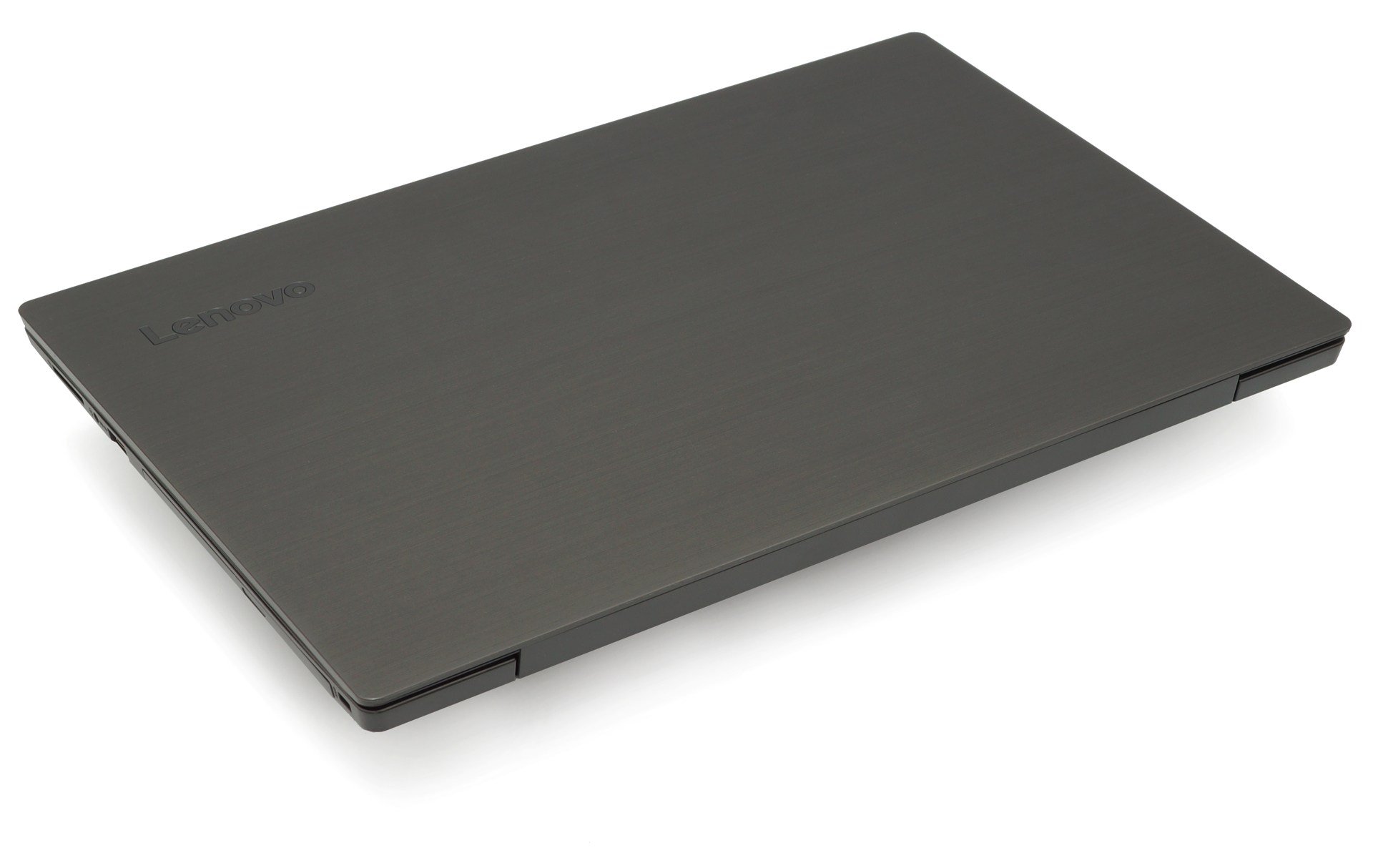
Inside Dell Latitude 15 7520

Inside Dell Latitude 15 7520 – disassembly and upgrade options

Posted on August 22, 2021August 27, 2023 By Jarvis

Dell often makes good decisions with its business notebooks. However, the lack of memory slots on this machine is kind of disappointing.

1. Remove the bottom plate

To get inside the laptop, you have to undo a total of 8 captive Phillips-head screws. Then, pry the bottom panel, starting from the hinge gaps.
…
Read more
Computers & IT Tags:business, Dell, laptop, memory

Post navigation

Previous Post: Android 12: From user experience to privacy, everything known so far
Next Post: Tegic BLOCK 30 review: A sleek 30W fast charging power bank for your inner geek

Related Posts

NYT Strands hints and answers for Wednesday, December 24 (game #661) Computers & IT
AMD's next-gen Radeon graphics cards will ditch blower coolers AMD’s next-gen Radeon graphics cards will ditch blower coolers Computers & IT
How to recover a forgotten Mac password Computers & IT
Nvidia GeForce RTX 3060 Ti review Nvidia GeForce RTX 3060 Ti review Computers & IT
threadripper_2_3-100767407-large.3x2 AMD Threadripper 3: Everything we know so far Computers & IT
Want to know how to install Windows 10? We explain how you can do it automatically, or the manual way to get a clean install from an ISO. Be sure to read this before you install Windows 10. How to install Windows 10 Computers & IT

Copyright © 2026 GearOpen.com.

Powered by PressBook Grid Dark theme