Skip to content
GearOpen.com

GearOpen.com

GearOpen.com is the hub for the latest developments in technology, AI, software, computers, transportation, consumer electronics, and scientific innovation.

  • Phones
  • Tablets
  • Laptops
  • Computers & IT
  • AI & Bots
  • Apps
  • Gaming
  • Audio & Video
  • Wearables
  • Smart Home
  • Cameras
  • Drones
  • Cars
  • Motorcycles
  • Yachts & Boats
  • Planes
  • Science
  • Tools
  • Toggle search form
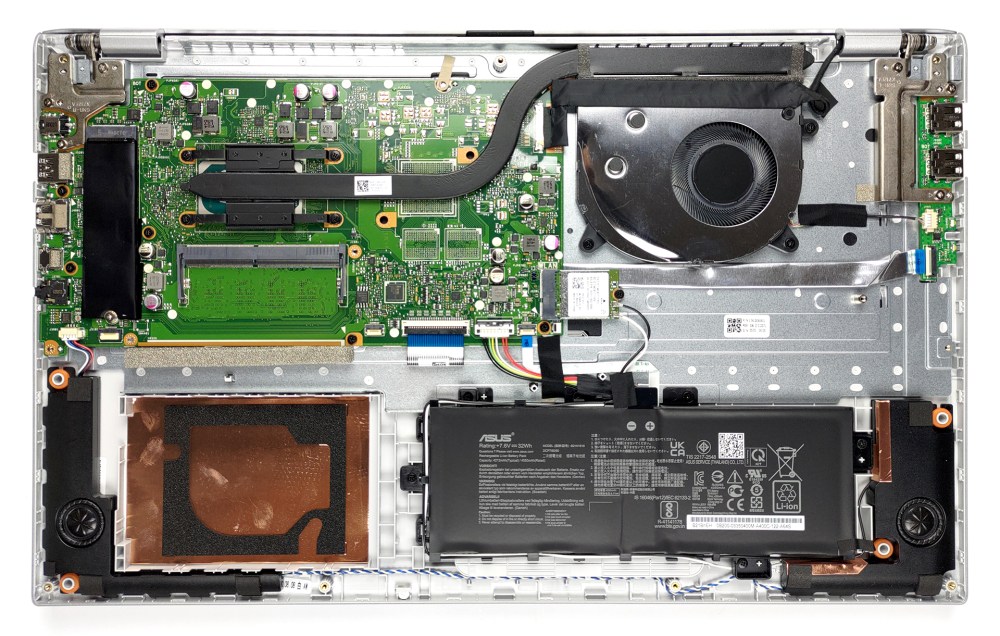
Inside ASUS VivoBook 17 X712

Inside ASUS VivoBook 17 X712 – disassembly and upgrade options

Posted on October 25, 2021August 27, 2023 By Jarvis

The hardware inside of this machine is a bit of a mixed bag. It has a small battery and relatively good upgrade options. However, ASUS opted against making it even better. Check out why.

1. Remove the bottom plate

To get inside of this device, you need to undo 10 Phillips-head screws. After that, just pry the bottom panel with a plastic tool and remove it from the body.
…
Read more


Computers & IT Tags:Asus, ASUS VivoBook 17

Post navigation

Previous Post: Age of Empires IV review
Next Post: Apple Watch 7 — here’s why I can’t go back to an older Apple Watch

Related Posts

HP Omen 15 leak reveals overhauled design, AMD and Nvidia chips HP Omen 15 leak reveals overhauled design, AMD and Nvidia chips Computers & IT
Project Athena notebooks perform better on battery, and Intel has the numbers to prove it Computers & IT
Acer Swift X Hands on: Acer Swift X review Computers & IT
G-Sync vs. FreeSync: Adaptive sync gaming monitors explained G-Sync vs. FreeSync: Adaptive sync gaming monitors explained Computers & IT
Wish your Ryzen CPU was faster? Good news – a Windows 11 patch coming soon will give all newer AMD chips a free speed boost Computers & IT
AzdGbHQuxxjaV5SmcG5ygb-970-80 Nvidia GeForce RTX 2060 6GB, 4GB and 3GB models confirmed in EEC filing Computers & IT

Copyright © 2026 GearOpen.com.

Powered by PressBook Grid Dark theme