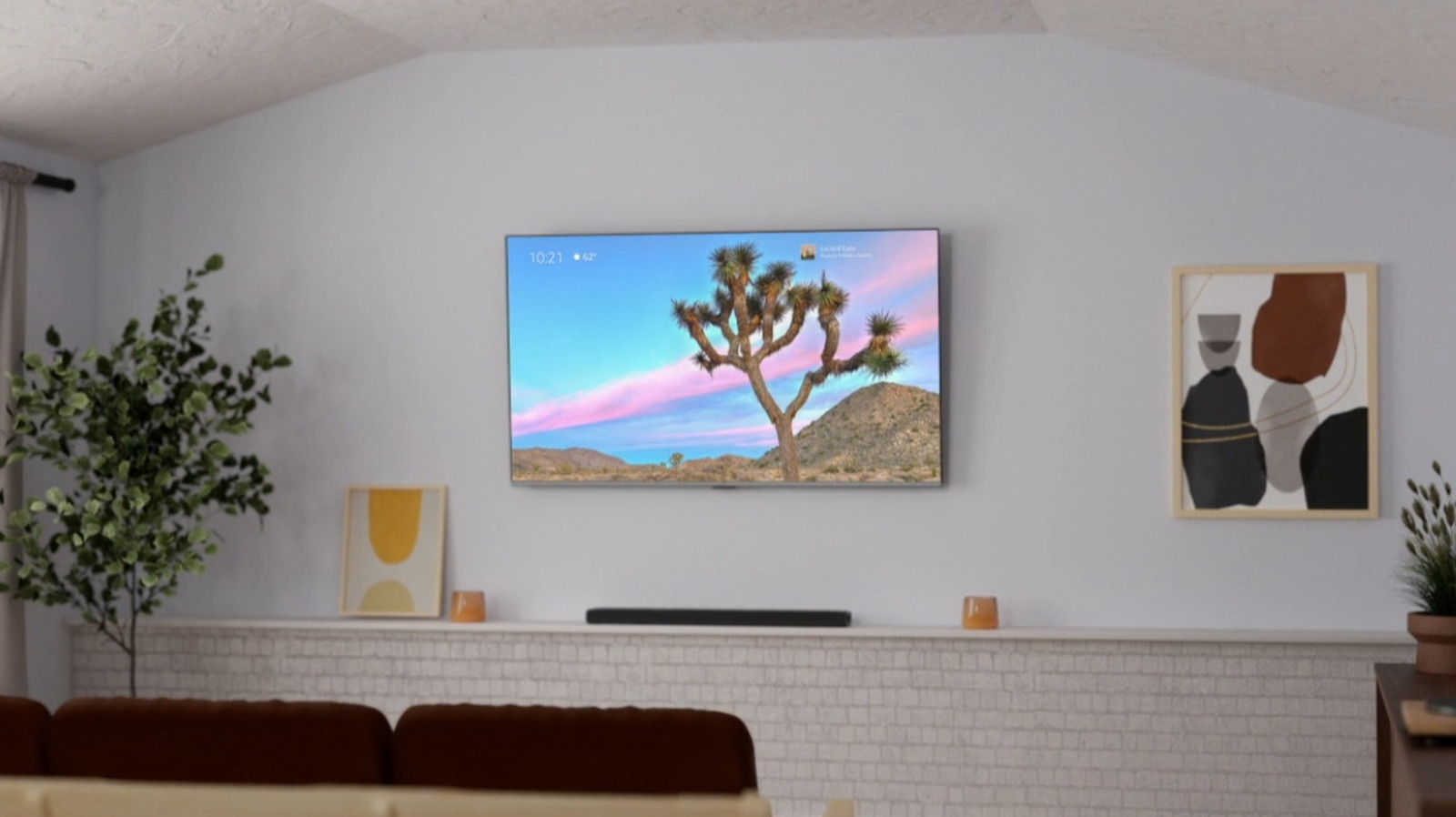
In early 2023, Amazon introduced a special then-new setting on Fire TV called Ambient Experience. As the name suggests, this mode is designed to turn your smart TV into a useful home display when you’re not actively watching shows or using apps — though it should be noted that at the time of writing, the feature is exclusively available on the Amazon Fire TV Omni QLED Series and the second-generation Fire TV Stick 4K Max.
****
Assuming you own one of those products, activating Ambient Experience is simple: you can tell Alexa to “go to Ambient Experience,” select “Open Ambient Experience” from the shortcuts menu, or use the Alexa mobile app to schedule hours when Ambient Experience will automatically turn on and off. You can turn off the mode whenever you’d like by pressing the remote’s home button or telling Alexa to “go home.”
What, exactly, does Ambient Experience offer? In Amazon’s own words, the mode “turns the biggest screen in your home into an intelligent personal smart display.” Users are given access to some of the more basic features they can access on something like an Echo Show smart display, including the ability to set custom backgrounds, display frequently-used widgets, and play audio in the background while you relax or get some chores done. With a few clicks, you can optimize the mode for your own home in the same way you can customize many Fire TV features.
****