
Skip to content
GearOpen.com

GearOpen.com

GearOpen.com is the hub for the latest developments in technology, AI, software, computers, transportation, consumer electronics, and scientific innovation.

  • Phones
  • Tablets
  • Laptops
  • Computers & IT
  • AI & Bots
  • Apps
  • Gaming
  • Audio & Video
  • Wearables
  • Smart Home
  • Cameras
  • Drones
  • Cars
  • Motorcycles
  • Yachts & Boats
  • Planes
  • Science
  • Tools
  • Toggle search form
How to Upgrade Your Laptop’s Hard Drive to an SSD

How to Upgrade Your Laptop’s Hard Drive to an SSD

Posted on June 10, 2016November 16, 2018 By Jarvis

Before You Begin: Check Upgradability

ssd upgrade laptop panel 670x381

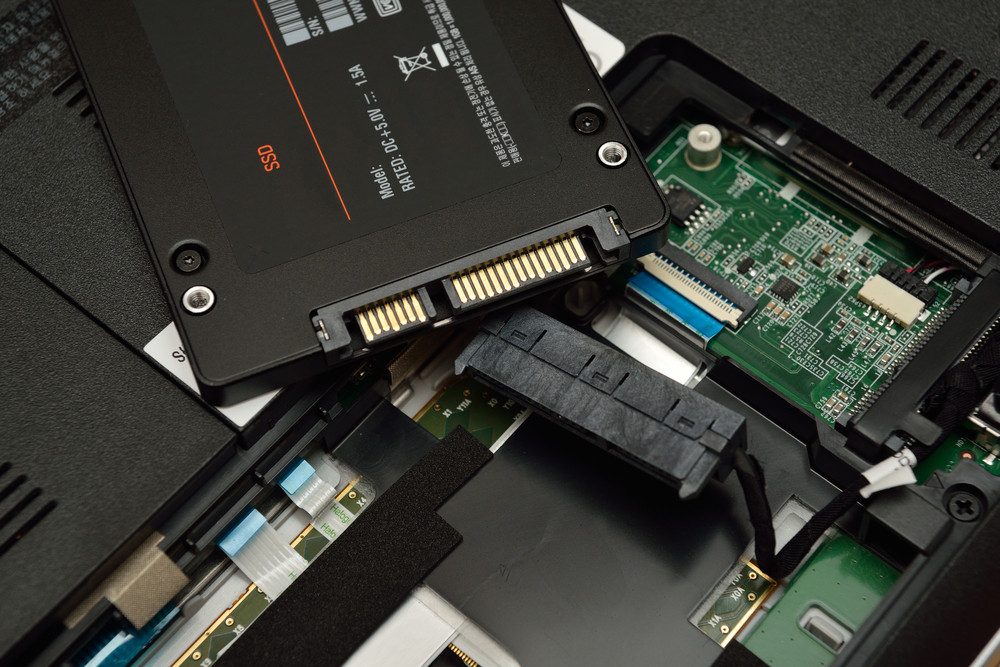
The process of upgrading your laptop to SSD is fairly simple if you have easy access to your hard drive via a removable panel on the bottom of the laptop. If you have an Ultrabook or your laptop doesn’t have that kind of easy upgrade access (e.g., the bottom panel is sealed), it’s a whole different ballgame, and you’ll need to consult your laptop manual for instructions on getting to that drive and finding the right replacement drive. Otherwise, this tutorial will help those of you with the removable panel through preparing your laptop, cloning your system, and making the big swap.
…
Read full post here:
https://www.laptopmag.com/articles/ssd-upgrade-tutorial

Computers & IT Tags:how to, laptop, SSD, ultrabook

Post navigation

Previous Post: CUBOT DINOSAUR PHABLET REVIEW – 3 GB RAM, DUAL CORE
Next Post: Panasonic GH5 sensor might be in 16-megapixels resolution

Related Posts

This dangerous new Android malware can steal your passwords and 2FA codes Computers & IT
Some AMD Zen 2 CPUs finally get defenses against Zenbleed security flaw – and it’s about time Computers & IT
Razer BlackWidow V3 Pro Review Razer BlackWidow V3 Pro Review Computers & IT
WWDC might be hardware-less again this year Computers & IT
Save tons of time with this mind-blowing Mac folder shortcut Computers & IT
AMD Radeon RX Vega M GL (Vega 870, 4GB HBM2) vs NVIDIA GeForce GTX 1060 (6GB GDDR5) – NVIDIA is crowned once again AMD Radeon RX Vega M GL (Vega 870, 4GB HBM2) vs NVIDIA GeForce MX150 (2GB GDDR5) – AMD’s GPU crushes its opponent Computers & IT

Copyright © 2026 GearOpen.com.

Powered by PressBook Grid Dark theme