Skip to content
GearOpen.com

GearOpen.com

GearOpen.com is the hub for the latest developments in technology, AI, software, computers, transportation, consumer electronics, and scientific innovation.

  • Phones
  • Tablets
  • Laptops
  • Computers & IT
  • AI & Bots
  • Apps
  • Gaming
  • Audio & Video
  • Wearables
  • Smart Home
  • Cameras
  • Drones
  • Cars
  • Motorcycles
  • Yachts & Boats
  • Planes
  • Science
  • Tools
  • Toggle search form
How to filter, report iMessages as spam on iOS 8.3

How to filter, report iMessages as spam on iOS 8.3

Posted on September 4, 2015September 10, 2019 By Jarvis

Apple on Wednesday released iOS 8.3, giving users racially diverse emoji and a long list of bug fixes.

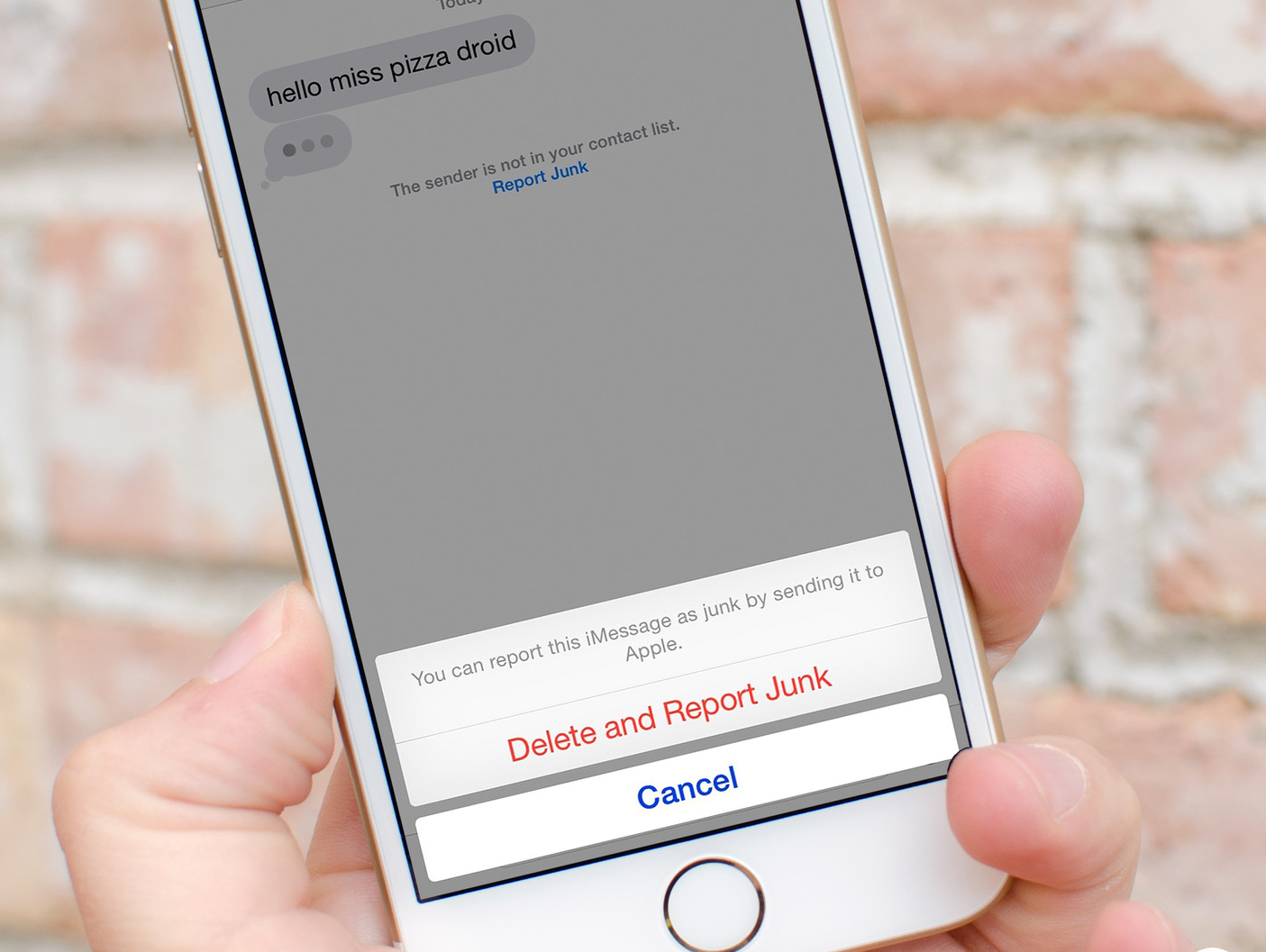
One new feature sure to be popular with those who constantly receive iMessage spam is the ability to filter, and then mark messages as “Junk.”

If you’ve ever received a message claiming you’ve won a cruise or a Best Buy gift card, and the bubble was blue, you’ve been subjected to iMessage spam.
…
Read full post here:
https://www.cnet.com/how-to/how-to-filter-report-imessages-as-spam-on-ios-8-3/

Phones Tags:Apple, best buy, how to, iOS, ios 8

Post navigation

Previous Post: How to use Google Maps offline mode on iOS, Android
Next Post: How to access the new diverse emoji in iOS 8.3

Related Posts

foldable-galaxy-920x518 Another Samsung Galaxy X mystery solved by battery patent discovery? Phones
The Samsung Galaxy S24 could soon get a fix for its vivid display issue Phones
Fast Charge: Don’t write Huawei off yet Fast Charge: Don’t write Huawei off yet Phones
Screen-Shot-2018-12-21-at-08.46.40-920x574 The iPhone 11 looks unbelievable from every angle in stunning new video Phones
Oppo K9 listed on JD.com ahead of May 6 launch Oppo K9 listed on JD.com ahead of May 6 launch Phones
5 Hints That It’s Probably Time To Upgrade Your Phone Phones

Copyright © 2026 GearOpen.com.

Powered by PressBook Grid Dark theme