Skip to content
GearOpen.com

GearOpen.com

GearOpen.com is the hub for the latest developments in technology, AI, software, computers, transportation, consumer electronics, and scientific innovation.

  • Phones
  • Tablets
  • Laptops
  • Computers & IT
  • AI & Bots
  • Apps
  • Gaming
  • Audio & Video
  • Wearables
  • Smart Home
  • Cameras
  • Drones
  • Cars
  • Motorcycles
  • Yachts & Boats
  • Planes
  • Science
  • Tools
  • Toggle search form
iOS 13: How to use a mouse with your iPad or iPhone

iOS 13: How to use a mouse with your iPad or iPhone

Posted on July 2, 2019 By Jarvis

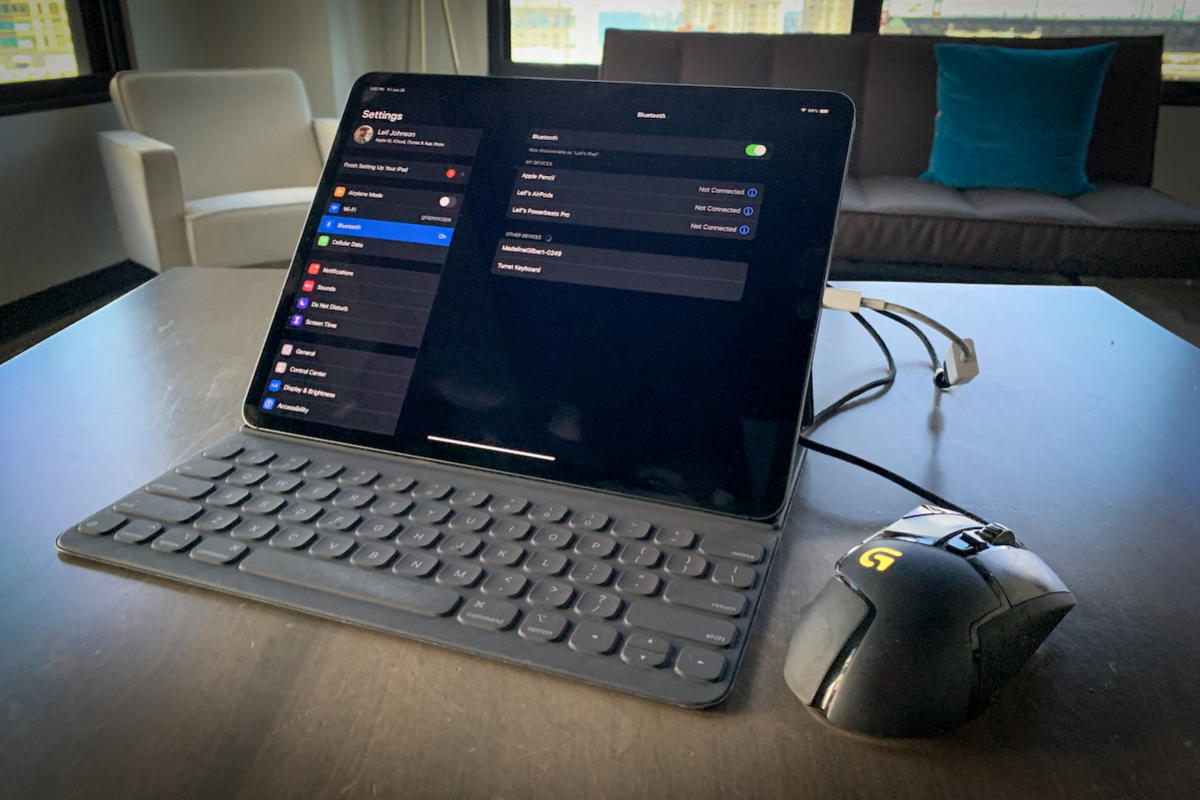
Mouse support has finally arrived on the iPad and iPhone with iPadOS 13 and iOS 13! As you might expect, that support comes with a catch or four.

A vocal number of heavy-duty iPad users have begged for mouse support on the iPad for years, and that support is finally coming with iPadOS 13 this fall. A little surprisingly, iOS 13 also brings mouse support to the iPhone.

It’s not so surprising, though, that Apple chose to bury it deep within the iPhone and iPad’s Accessibility settings. And when you do hook up a mouse through a Bluetooth or wired connection, you’ll still have to deal with an ugly circular cursor that’s meant to mimic a human fingerprint and a few interface complications. We’re glad the feature’s here, but it doesn’t quite work the way we’d hoped. (It is, after all, designed as an Accessibility feature.)
…
Read full post here:
https://www.macworld.com/article/3405887/how-to-use-a-mouse-with-your-ipad-or-iphone.html

Phones, Tablets Tags:Apple, Bluetooth, fingerprint, how to, iOS, iOS 13, ipad, iphone

Post navigation

Previous Post: Acoustic Energy AE1 Active Review
Next Post: Xbox 2: All the latest news, rumours and specs for Project Scarlett console

Related Posts

Samsung Galaxy S24 Plus: price, features, cameras, and everything you need to know Phones
Android Settings Changes That’ll Enhance Your Phone’s Performance Phones
Samsung Galaxy Tab S2 review: Hands-on with Samsung's latest iPad rival that really is gorgeous Samsung Galaxy Tab S2 review: Hands-on with Samsung’s latest iPad rival that really is gorgeous Tablets
Apple Pencil Pro vs Apple Pencil 2: You won’t believe the price difference Phones
LG Velvet mid-range specs come with a high-end accessory LG Velvet mid-range specs come with a high-end accessory Phones
image-techz-1465217777 OnePlus 3 OTA to address sRGB display, RAM complaints Phones

Copyright © 2026 GearOpen.com.

Powered by PressBook Grid Dark theme