Skip to content
GearOpen.com

GearOpen.com

GearOpen.com is the hub for the latest developments in technology, AI, software, computers, transportation, consumer electronics, and scientific innovation.

  • Phones
  • Tablets
  • Laptops
  • Computers & IT
  • AI & Bots
  • Apps
  • Gaming
  • Audio & Video
  • Wearables
  • Smart Home
  • Cameras
  • Drones
  • Cars
  • Motorcycles
  • Yachts & Boats
  • Planes
  • Science
  • Tools
  • Toggle search form
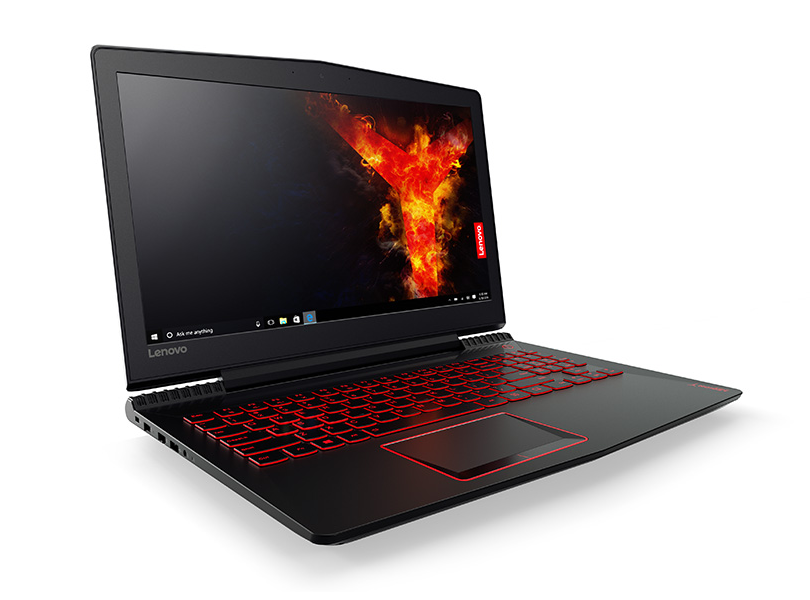
Inside Lenovo Legion Y520 – disassembly, internal photos and upgrade options

Inside Lenovo Legion Y520 – disassembly, internal photos and upgrade options

Posted on March 30, 2017January 17, 2019 By Jarvis

The notebook, as usual, doesn’t have a dedicated service cover but the bottom piece comes off easily making it super easy to access the upgradeable hardware.

1. Removing the bottom piece

You just need to unscrew the bottom plate and will see all the usual upgrade options – M.2 SSD, 2.5-inch HDD, RAM chips, Wi-Fi card and battery. The cooling system is also pretty easy to maintain.

2. Storage

As expected, the laptop offers a standard 2.5-inch HDD and M.2 PCIe NVMe SSD slot. The 2.5-inch drive in our case is manufactured by Seagate and offers the usual 1TB capacity while the M.2 SSD stick is a PCIe NVMe SK Hynix HFS512GD9MND5 (2280) with 512GB capacity.
…
Read full post here:
https://laptopmedia.com/highlights/inside-lenovo-legion-y520-disassembly-internal-photos-and-upgrade-options/

Computers & IT Tags:hardware, laptop, Lenovo, notebook, ram, SSD

Post navigation

Previous Post: Samsung Galaxy S8 vs S8 Plus vs Galaxy S7 edge: What’s the difference?
Next Post: Samsung Galaxy S8 vs S8 Plus vs S6 vs S6 edge: What’s the difference?

Related Posts

4 reasons why you probably shouldn't buy a gaming laptop right now 4 reasons why you probably shouldn’t buy a gaming laptop right now Computers & IT
gigabyte aorus Microsoft’s next-gen storage tech won’t be locked to Windows 11 after all Computers & IT
More AI, less clutter and copy Apple – what app makers want from Windows 12 Computers & IT
Save $170 On the Acer 317, One of Our Favorite Chromebooks of the Year Computers & IT
ASUS VivoBook Pro 16X OLED (N7600) review – deep blacks and ray tracing Computers & IT
Lunar Artefacts’ $250 mouse could be the last you ever buy Computers & IT

Copyright © 2026 GearOpen.com.

Powered by PressBook Grid Dark theme