Skip to content
GearOpen.com

GearOpen.com

GearOpen.com is the hub for the latest developments in technology, AI, software, computers, transportation, consumer electronics, and scientific innovation.

  • Phones
  • Tablets
  • Laptops
  • Computers & IT
  • AI & Bots
  • Apps
  • Gaming
  • Audio & Video
  • Wearables
  • Smart Home
  • Cameras
  • Drones
  • Cars
  • Motorcycles
  • Yachts & Boats
  • Planes
  • Science
  • Tools
  • Toggle search form
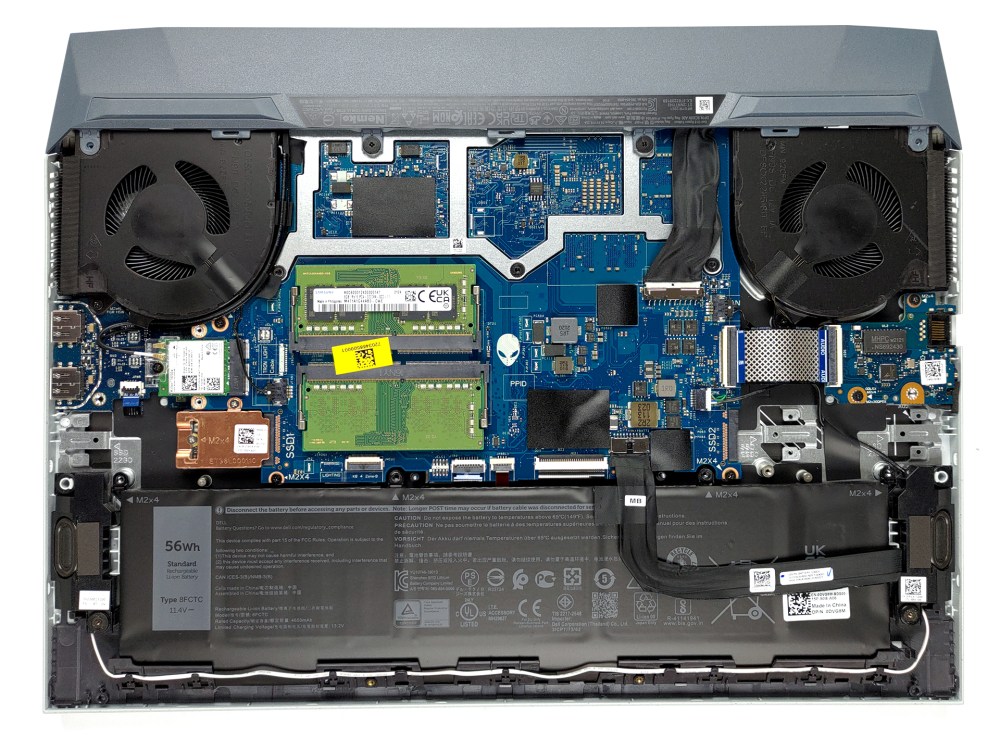
Inside Dell G15 5515 Ryzen Edition

Inside Dell G15 5515 Ryzen Edition – disassembly and upgrade options

Posted on October 28, 2021August 27, 2023 By Jarvis

The process of taking this laptop apart is pretty straightforward. Well, not if you’re planning to change your thermal paste…

1. Remove the bottom plate

To take this notebook apart, you need to undo 8 Phillips-head screws. After that, gently pry the bottom panel with a plastic tool, and slide it away from the chassis.
…
Read more


Computers & IT Tags:Dell

Post navigation

Previous Post: Honor X30 series unveiled with large displays and Dimensity chipsets
Next Post: Tested: 2021 Ford Bronco Outer Banks Is an Everyday Bronco

Related Posts

201606150154171kfml8x2 Teclast Tbook 10 S review Computers & IT
New Notebook Features that You are Looking Forward to in 2019 New Notebook Features that You are Looking Forward to in 2019 Computers & IT
Asus ZenBook 13 vs. Dell XPS 13: Which Laptop Should You Buy? Asus ZenBook 13 vs. Dell XPS 13: Which Laptop Should You Buy? Computers & IT
Dell goes big with the XPS 17's debut: Everything you need to know Dell goes big with the XPS 17’s debut: Everything you need to know Computers & IT
Mojo’s Smart Contact Lenses Begin In-Eye Testing Computers & IT
NYT Strands hints and answers for Saturday, February 7 (game #706) Computers & IT

Copyright © 2026 GearOpen.com.

Powered by PressBook Grid Dark theme