Skip to content
GearOpen.com

GearOpen.com

GearOpen.com is the hub for the latest developments in technology, AI, software, computers, transportation, consumer electronics, and scientific innovation.

  • Phones
  • Tablets
  • Laptops
  • Computers & IT
  • AI & Bots
  • Apps
  • Gaming
  • Audio & Video
  • Wearables
  • Smart Home
  • Cameras
  • Drones
  • Cars
  • Motorcycles
  • Yachts & Boats
  • Planes
  • Science
  • Tools
  • Toggle search form
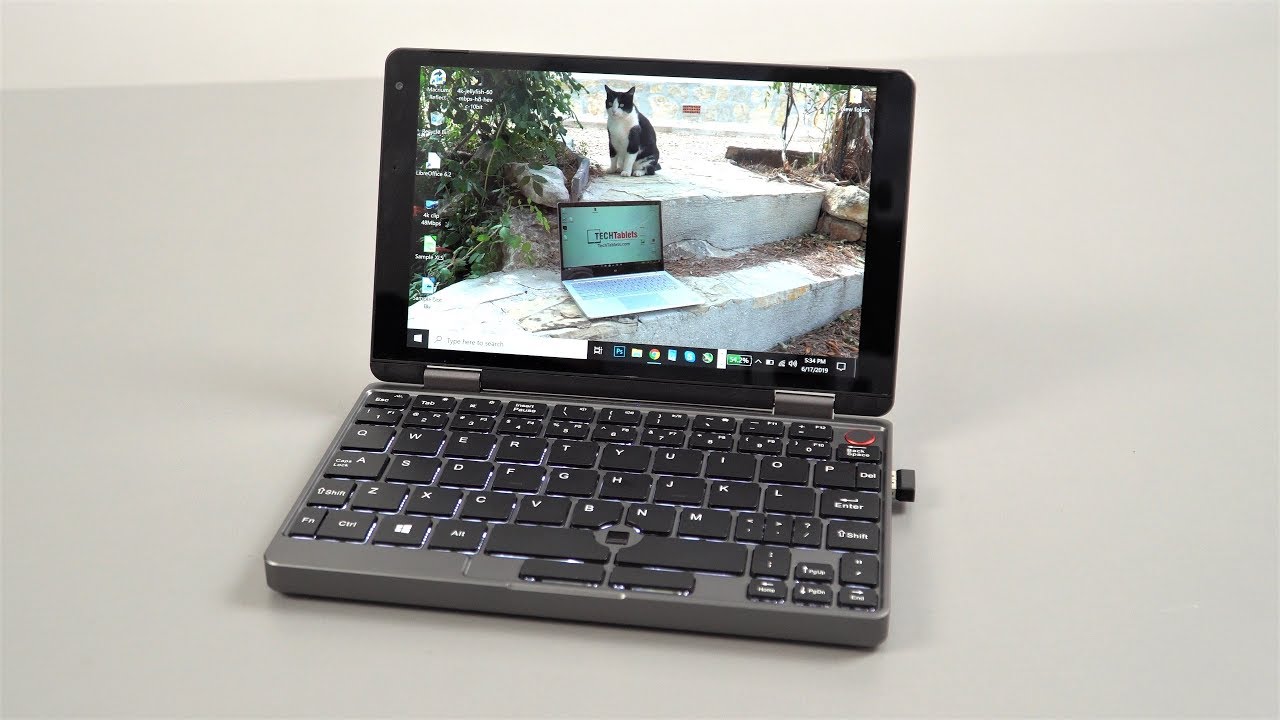
Inside Acer Predator Triton 500 (PT515-52) – disassembly and upgrade options

Inside Acer Predator Triton 500 (PT515-52) – disassembly and upgrade options

Posted on August 12, 2020August 27, 2023 By Jarvis

Disassembling this laptop is definitely easier than it looks, but upgrading it is another matter.

1. Remove the bottom plate

Having such a tight body, means you have to sacrifice something. The biggest sacrifice altogether is the ease of upgrading this laptop. Surely, you can do it, but you have to have some skill and balls to open the Triton 500 up.

The first step is basically the same as any other notebook on the market – remove the screws, then pry the bottom panel up and voila – you’re inside. However, this leads you to nothing, except for a possible battery change. In order to have access to the viable internals, you need to dig further.
…
Read full post here:
https://laptopmedia.com/highlights/inside-acer-predator-triton-500-pt515-52-disassembly-and-upgrade-options/

Computers & IT Tags:Acer, Acer Predator, laptop, notebook, Predator

Post navigation

Previous Post: Sony a7S III initial review updated: excellent rolling shutter rates
Next Post: Samsung Galaxy Watch 3 v Galaxy Watch: discover what’s new

Related Posts

HP EliteBook 1030 G1 Review HP EliteBook 1030 G1 Review Computers & IT
Acer Predator Helios 300 (15″) vs Lenovo Legion Y520 – what are the differences? Acer Predator Helios 300 (15″) vs Lenovo Legion Y520 – what are the differences? Computers & IT
Raspberry Pi 4 The Raspberry Pi 4 gets a tiny CPU upgrade Computers & IT
Dell Vostro 15 Top 5 reasons to BUY or NOT to buy the Dell Vostro 15 5515 Computers & IT
7U7SKMgHcjGr3HccEPKQV6-1200-80 Asus VivoBook S510U review Computers & IT
A new Windows 11 bug can be tweaked to turbocharge your File Explorer Computers & IT

Copyright © 2026 GearOpen.com.

Powered by PressBook Grid Dark theme